DIY vs. Professional Installed Home Security Systems - Which is better?

Last Updated: 
DIY vs. Professional Installed Home Security Systems - Which is better?

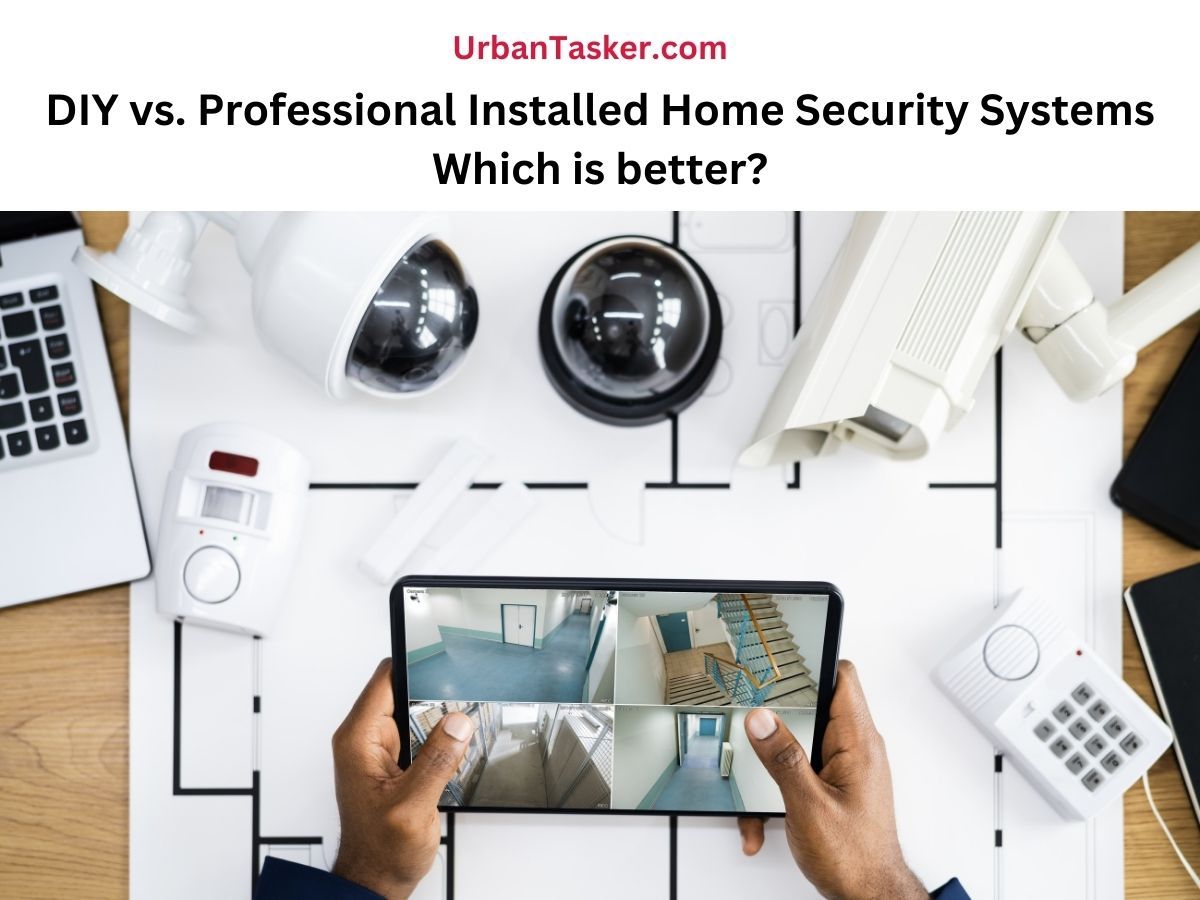
Home security systems are no longer a luxury, they’ve become a necessity in today’s world. With the rise of smart technology and the growing need for peace of mind, more homeowners in Canada and around the globe are investing in reliable security solutions. The real question now is: Should you set up your own system or leave it to the professionals? In simple words DIY vs. Professional Installed Home Security Systems - Which is better?

Both of them are good options, and whichever you choose could be defined by your lifestyle, budget, and technology knowledge. In this blog post, let's look into the main distinctions between these systems and evaluate their advantages and drawbacks. This will ultimately help you to decide which of them suits your home best.

What is a DIY Home Security System?

DIY (Do-It-Yourself) home security systems are wireless systems that you can buy online or in a shop and then set up yourself. These generally consist of door and window sensors, motion sensors, cameras, and a hub to bring it all together in your Wi-Fi or a mobile application.

There are popular brands, such as SimpliSafe, Ring, Arlo, and Google Nest, that are built to be very user-friendly. They mostly get installed in less than an hour, requiring no drilling or wiring.

What is a Professional-Installed Home Security System?

Professional systems tend to be safer and have trained experts to install them. Companies such as ADT, Vivint, and Brinks can inspect your home structure, the possible weak areas. Then, they create a solution, that involves 24/7 surveillance, backup power, and support in case of an emergency.

Installation may only take a few hours, that includes sensors, hard-wiring cameras, and linking the system to a monitoring centre.

Pros of DIY Home Security Systems

There are both pros and cons of DIY home security systems. Let's go through the pros first.

1. Inexpensive Front Prices

Cost is probably one of the main selling points of DIY systems. They only cost you a one-time fee for the equipment, usually around 200-500 dollars, unless you want an optional cloud storage or monitoring.

2. Easy Set-up and Personalization

DIY sensors that most kits include are peel-and-stick or simple mounting brackets. They can be easily installed within one hour. And are also easily transportable if you change house or decide to reposition a sensor. You can scale it up or scale it down at will.

3. Control in no time

Do-it-yourself systems are app-based, and you will be notified immediately, get live-stream camera video, or control machines remotely. Such practicality is liberating and ideal for tech-savvy property owners.

4. No Contracts

The best part, you are not bound to a multi-year service contract. Any time you wish, you may switch, start, or stop the providers.

Also, have a look at 5 Best Self-Monitored Home Security Systems with No Monthly Fees

Cons of the DIY Home Security Systems

Pros come with limitations; some of the limitations of DIY home security are the following.

1. Limited Support

You won't be rescued in case anything goes wrong, and you find yourself struggling to figure it out yourself. Most of the companies have online customer support and help centres, but there is no person coming to your house and repairing it.

2. No professional Monitoring

Most DIY systems do not include pro-monitoring in the setup. Others have it additionally, but it is restricted in relation to what pro systems provide.

3. Possibility of Mistake on the Side of the User

You may simply overlook important information, such as the placement of the sensors or calibration of the system, since you are doing the work on your own.

4. Unsuitable Structure of Big or Complicated Homes

The DIY systems are best for small to medium homes. However, if you have a bigger house, homes with a detached garage, and the number of entries, you may find it too much to handle and get everything synced.

You may also like From Deck Builds to AC Repairs: Why Summer Keeps Pros the Busiest?

Advantages of Installing Home Security by a Professional

Let's jump into the Advantages of installing home security by an expert.

1. Professional Customization

A trained person will come to your home and examine your apartment for the peculiarities of security. They will find blind spots, install sensors in strategic positions, and everything will be connected in the perfect manner.

2. 24hrs Surveillance

Such technology is generally installed with round-the-clock checks by the security centre. If an alarm goes off, you will be contacted by someone instantly and called an emergency service.

3. Maintenance and Repairs

In case something breaks or goes wrong, you have the right to call the company and have a technician visit and repair it. It is a big advantage to people who do not want to work with tech problems on their own.

4. Insurance Discounts

Some insurance companies do offer discounts on home insurance premiums where you have a professionally monitored system installed.

The Disadvantages of Professionally Installed Home Security Systems

Notably, professionally installed home security has its own limitations.

1. Higher Cost

The principal limitation is the high cost. The installation cost, activation fees, and monitoring fees on a monthly basis can be heavy on the pocket.

2. Long-Term Contracts

Some companies have a contract commitment that translates into 12-36 months. Penalty fees may be levied for canceling before the expiry date.

3. Less Flexibility

It offers less flexibility, as adding or moving equipment may bring about a technician visit or additional expense.

4. Fewer of the controls are Tech

Yes, you do have access to apps and dashboards; however, some systems are not flexible or modern like DIY. Some homeowners find that they don't have control over settings, or they do not get notifications like more modern DIY solutions.

You may also like to discover Best 5 Home Security Systems in Canada

Safety Your Way

The perfect system is the one that gives you peace of mind without taking a toll on your pocket. The DIY systems are popular but not without a reasonable amount of thought: they are low-cost, straightforward, and can be altered according to specific needs. But professionally installed systems are very valuable to those who desire non-discretionary dependability, emergency response, and extended care.

At the end of the day, securing your home is not about technology; it is about a safe haven for the people and other things you love best. You can do it either on your own or you have the professionals do it, but the mere fact that you choose to do it is already one big step towards the right direction.

Now, whether you decide to DIY or get professional help for your security camera installation, the key is ensuring the system is reliable, properly set up, and gives you the peace of mind you’re investing in.

Looking for good professionals to do this job,? UrbanTasker is there to connect you with experienced security camera installation providers. Post Your Task and Get Free Quotes Now!

DIY vs. Professional Installed Home Security Systems - Balancing cost, convenience, and peace of mind – the choice is yours.


home security systems
home security canada
diy home security systems
professional home security canada
diy vs professional security system

Write your comment 

Comments

Related Articles

The Truth About Home Security Systems - Myths vs. Reality

Are you thinking of installing a home security system? Then, as a homeowner, several doubts may pop into your head, such as -” Is it expensive?”, “Do they stop the crimes?” or “Do I really need one now?” If you are in this category, then you are exactly where you are meant to be! Home security systems today are more than just alarms and cameras. From warm suburban streets of Mississauga to Vancouver high-rise condos, there is more than just locked doors when it comes to home protection. These systems come with motion sensors, cameras, doorbells, and 24/7 monitoring capabilities. There are several myths associated with home security systems. But most of them are far from reality. So, let’s unpack them one by one and talk about the actual facts to help you make a better decision. ## What Are Home Security Systems? A home security system is the first line of defense against intruders. This consists of modern cameras, locks, and motion sensors. This can save our house from intruders, and you can monitor everything while having your favorite drink on a beach vacation. You don’t even need a specialized device to monitor your house. You just need your phone and Internet access for it. The most basic components of a home security system are: **Control Panel:** This is the brain of your system. You can easily control all the devices and enable or disable them as per your convenience. You can even inform the security company in case of any disruptions or breaches. **Detectors**: Detectors mainly consist of motion sensors. This helps to identify movements in your house. If you have window sensors, you will get to know whether someone tried to open or close it. **Alarms:** Alarms can warn neighbors if your house is attacked by intruders. This also scares them off and keeps your house safe. ## Home Security System Facts You Can’t Ignore: Separating Myths from Reality As a homeowner, you may have several questions and misconceptions regarding the security of your home. Let’s debunk them all: ## Myth 1: “Home Security Systems Are Only for the Wealthy” Many Canadians assume that [home security systems](https://urbantasker.com/blog/best-home-security-systems-canada-top-list) are a luxury. It is something only big houses or fancy condos need. That used to be two decades ago, when security meant hiring guards or installing costly wired systems. Now, you can get reliable systems at prices that fit almost any budget. A smart camera can cost less than a nice dinner out. And with DIY kits and wireless installations, you can avoid costly installation charges. Even a small apartment in downtown Calgary or Toronto can be helped by an entry sensor or video doorbell. Safety isn't about the size of your space; it's about how secure it feels when you're home. ## Myth 2: “They Don’t Actually Stop Crime” Some people believe a home security system only helps after something bad happens. But the reality is the opposite. Based on studies done in the U.S. and Canada, houses that have a visible security system are far less likely to be burgled than houses with no visible system. A burglar is not likely to enter a house with visible cameras and alarms because the chances of getting caught are too high. Anyone can be caught within a matter of less than two minutes. Do you think a burglar will risk everything to enter a house? Most of the time, the answer is “No”. So, a home security system is necessary to stop the crimes. ## Myth 3: “They are too difficult to install and maintain” Well, this would make sense a decade ago when you had to drill holes and deal with endless wires. Now, smart home systems are as easy as plugging in your phone charger. Most devices sync through mobile apps, just scan a QR code, and you’re set. If you own a larger home, you can avail professional help. This is a quick and affordable option. And maintenance? You’ll get app notifications when a sensor battery runs low. It’s really that simple. You may also like: [DIY vs. Professional Installed Home Security Systems - Which is better?](https://urbantasker.com/blog/diy-vs-professional-installed-home-security-systems-which-is-better) ## Myth 4: “Home Security Systems Are Always Beeping and Glitchy” This one probably comes from people who used old systems years ago. Remember those alarms that went off every time a curtain moved? Thankfully, technology has grown up. Today’s home security systems use smart motion detection and AI to tell the difference between your pet walking around and an actual intruder. Many even sync with your Google Home or Alexa — so you can control everything with your voice. It’s less about noise now and more about quiet confidence. ## Myth 5: “I Live in a Safe Area — I Don’t Need It” This might be the most common excuse. And yes, maybe your neighborhood is peaceful. But safety isn’t just about preventing crime. It’s about protection from the unexpected like fire, smoke, gas leaks, flooding from a burst pipe in winter (which happens more often than you’d think in Canadian homes). Modern systems include sensors for all of that. So even if break-ins aren’t your worry, early alerts can save you thousands in damage and stress. ## Myth 6: “They Cost Too Much Every Month” Monthly fees depend on what you want. Basic self-monitoring through an app can be free. If you prefer professional monitoring, where someone alerts the authorities for you, plans can start at just a few dollars a week. This part entirely depends on your goals regarding the security of your home. As Canada is a home to a large no of companies providing these services, you can avail discounts more than ever. ## Reality Check: The Real Benefits of Home Security Systems Let’s flip the script. Beyond myths, here’s what real homeowners say after they install a home security system: - They sleep better knowing every entry point is covered. - They travel more confidently because they can see live footage anytime. - They get instant notifications for power cuts or emergencies. - Their insurance premiums sometimes drop because their property risk is lower ### The Truth About Home Security Systems The truth about home security systems is simple — they’re no longer just gadgets. They are peace of mind encased in technology for your lifestyle, keeping what matters most safe. An affordable, reliable system isn’t an expense; it’s an investment, regardless you live in a quiet suburban neighborhood or a downtown condo. Truly, nothing is better than peace of mind knowing your home is safe. If you’re renting, wireless setups let you take your system with you when you move. If you own a home, full-service options with monitoring and automation give you extra convenience and security. Wish to get a professional home security installation done? [Post your task](https://urbantasker.com/tasks/create) on UrbanTasker and let verified experts handle everything — from setup to configuration. It is a time-saver, causes no wiring distress, and ensures everything works well the first time. Modern home security systems are simple, inexpensive, and very efficient. So, you don’t have to be a techy or affluent to secure your residence. Because home isn’t just where you live — it’s where you should always feel safe.

Best Home Security Systems in Canada 2026: Top 6 Picks Compared

**Looking for the Best Home security systems in Canada?** You are at the right place! With the rising concerns about home safety, investing in a reliable security system is very crucial. As Canadian homeowners, you have numerous options - from fully monitored professional systems to budget-friendly DIY solutions tailored to your needs. In a world where peace of mind is priceless, securing your home has never been more essential. Home security systems today go far beyond just locks and sirens - they combine smart technology, real-time alerts, and 24/7 monitoring to keep your home protected from intrusions, fire, and emergencies. Home Security is not just about Cameras and Alarms; it’s about convenience, peace of mind, and finding the perfect fit. Look around and you will find plenty of options, ranging from fully professional monitoring setups to affordable DIYs. Let’s have a look at the **Best Home security systems available in Canada**, based on their features, compatibility, installations, and overall value. **Quick answer:** The best home security system in Canada in 2026 is **TELUS SmartHome Security** for fully-monitored, Canada-wide coverage, Frontpoint for DIY without a contract, and Ring Alarm for renters and small spaces. Rogers Smart Home is the best fit if you already bundle Rogers internet/TV; SimpliSafe is the easiest to install. Brinks is no longer directly sold to new customers in Canada — those accounts moved to TELUS in 2024. |Brand|Best For|Starting Price (CAD)|Contract|Pro Monitoring|Coverage| |--- |--- |--- |--- |--- |--- | |TELUS / ADT|Fully-monitored, hands-off|From ~$30/mo + equipment|2–3 yrs|24/7|Canada-wide (incl. Quebec)| |Frontpoint|DIY without long contracts|From ~$50/mo all-in|None|24/7|All provinces except Quebec| |Ring Alarm|Budget DIY & renters|Monitoring from ~$4/mo|None|Optional|Canada-wide| |Rogers Smart Home|Existing Rogers customers|Bundled with internet/TV|3 yrs|24/7|Rogers service areas only| |SimpliSafe|Easiest setup, no drilling|From ~$20/mo|None|Optional|Canada-wide| |Brinks (via TELUS)|Existing Brinks customers|Now serviced by TELUS|Inherited|via TELUS|Via TELUS| ## How We Picked These Home Security Systems? **We evaluated 14 home security providers available to Canadian homeowners against 6 criteria:** 1. Canadian availability — including provincial coverage, especially Quebec 2. Monitoring fees in CAD (not USD-converted estimates) 3. Contract terms — flexibility, cancellation, hidden fees 4. Equipment quality — cellular backup, crash-and-smash protection, weather rating 5. Smart home integration with Alexa, Google Home, Apple HomeKit 6. Real Canadian homeowner feedback from Reddit, Reviews. io, and BBB Canada **We do not accept payment from any of the brands listed. UrbanTasker connects Canadian homeowners with local installation pros, so our recommendations are based on what actually gets installed in Canadian homes — not affiliate revenue.** ### Best Home Security Systems in Canada: Monthly Cost, Features & Contract Comparison | Feature | TELUS / ADT | Frontpoint | Brinks (via TELUS) | Rogers Smart Home | Ring Alarm | SimpliSafe | |---|---|---|---|---|---|---| | Starting monthly cost (CAD) | $58/mo | $24.99/mo | Via TELUS | ~$35/mo bundled | $5/mo | $19.99/mo | | Top-tier monthly cost (CAD) | $78/mo | $49.99/mo | Via TELUS | ~$55/mo bundled | $20/mo | $29.99/mo | | Contract length | 3 or 5 yrs | None or 3 yrs | Inherited | 3 yrs | None | None | | 24/7 pro monitoring | Yes | Yes | Yes (TELUS) | Yes | Optional | Optional | | Self-monitoring option | Yes | No | No | No | Yes (free) | Yes (free, limited) | | Cellular backup | Yes (LTE) | Yes (Verizon) | Yes | Yes | Yes (Premium plan) | Yes (Pro plan) | | Battery backup | Yes | Yes | Yes | Yes | Yes (24 hrs) | Yes (24 hrs) | | Professional install | Required | Optional | Required | Required | Optional | Optional | | DIY install option | Yes | Yes | No | No | Yes | Yes | | Quebec coverage | Yes | No | Yes (TELUS) | Limited | Yes | Yes | | Smart home platform | TELUS app | Alarm .com | Alarm .com (TELUS) | Rogers app | Ring/Alexa | SimpliSafe app | | Mobile app rating (Avg.) | 4.4/5 | 4.6/5 | N/A | 3.8/5 | 4.6/5 | 4.7/5 | | Money-back guarantee | 30 days | 30 days | N/A | 30 days | 30 days | 60 days | _Costs are subject to change based on market conditions, material availability, and labor rates. It is advisable to obtain multiple local quotes before finalizing your budget._ ## Best Home Security System in Canada by Use Case Here is a list of popular Home Security systems to choose from: ### Use-Case Recommendation | Your Situation | Best Pick | Why | Backup Pick | |---|---|---|---| | Apartment / studio renter | SimpliSafe | No drilling, no contract, portable | Ring Alarm | | Small condo (under 800 sq ft) | Ring Alarm | Cheapest, scales easily | SimpliSafe | | Mid-size detached home | TELUS / ADT | Pro install + 24/7 monitoring | Frontpoint | | Large home (4+ bedrooms) | Frontpoint | Hub supports 80 sensors + 200 devices | TELUS Control + Video | | Home with multiple kids / pets | TELUS / ADT | Pro response, video verification | Frontpoint Ultimate | | Cottage / vacation property | Ring Alarm | Cellular backup, off-grid friendly | SimpliSafe | | Quebec resident | TELUS / ADT | Only major Canada-wide provider in QC | Ring Alarm or SimpliSafe | | Existing Rogers internet customer | Rogers Smart Home | Bundled discount, single bill | TELUS / ADT | | Apple Watch / iPhone user | Ring Alarm or SimpliSafe | Best iOS integration available | TELUS | | Frequent mover | Frontpoint or SimpliSafe | Equipment moves with you | Ring | | Tightest budget under $200 upfront | Ring Alarm | Starter kit from $249, $5/mo plans | SimpliSafe | | Hands-off / no DIY | TELUS / ADT | Pro install + ongoing service | Rogers Smart Home | | Existing Brinks customer | TELUS SmartHome | Brinks accounts now serviced by TELUS | — | | Want HomeKit support | None of the major 6 | Consider Abode (smaller market) | Ring + Apple Home bridge | ## Best Home Monitoring and Alarm Systems in Canada Now, let's discuss the key features of each of these security systems in detail. ## 1. TELUS / ADT: Best for Canada-Wide Professional Monitoring When home security comes into consideration, TELUS/ADT Canada can be one of the best choices. Do you want expert support without worrying about the set-up? Then hold your seats tight, as they offer installation and 24/7 professional monitoring, making it perfect for you. ### Why Choose TELUS/ADT? - **Professional Installation:** Sip your coffee while the technicians handle everything. They ensure cameras, sensors, and alarms are properly placed. - **24/7 Monitoring:** Constant surveillance and protection from fire, burglary, and water leaks. - **Smart Home Integration:** It can control smart locks, lights, and cameras with the help of a mobile app. Additionally, it provides Cellular backups in case of power outages. ### TELUS/ADT Home Security System - Points to consider: - It may require a long-term contract(usually 2 to 3 years) - The monthly maintenance fee is on the higher side. - If you want peace of mind with professional management, then it can be a great fit for you. ### TELUS SmartHome Security: All Plans Detailed | Plan | Monthly Cost (CAD) | Pro Monitoring | Cameras Included | Smart Home Automation | Equipment Rental Value | Term | |---|---|---|---|---|---|---| | Secure | $58 | Yes (24/7) | None | No | Up to $400 | 3 or 5 yrs | | Secure + Video | $68 | Yes (24/7) | 1 indoor | No | Up to $700 | 3 or 5 yrs | | Control | $68 | Yes (24/7) | None | Yes | Up to $700 | 3 or 5 yrs | | Control + Video | $78 | Yes (24/7) | Up to 2 | Yes | Up to $1,300 | 3 or 5 yrs | | SmartHome+ (self-monitor only) | From $14.58 | No | Optional | Yes | Pay per device (financed) | 24 mo | _$10/month discount available for existing TELUS or Koodo Mobility customers. $200 pro install fee (waived for many new customers). $100 self-install kit fee, refundable when service activates within 30 days. Cancellation fee = $15/mo × months remaining._ You may also like to discover **[How AI is Revolutionizing Home Services?](https://urbantasker.com/blog/how-ai-is-revolutionizing-home-services-improvement-designing)** ## 2. Frontpoint: Best DIY Home Security with No Contract If you need a flexible, DIY Approach without long-term contracts, then Frontpoint can be a great choice. It is a wireless system with cellular backups and easy installation procedure. ### Why choose Frontpoint? - **DIY Installation:** This alarm system can be set up in a few hours without any professional help. - **Crash & Smash Protection:** The alerts will reach you even if someone tries to damage the system. - **Excellent Mobile App:** It helps in automation and enhances security. ### Frontpoint Home Security System - Points to consider: - It is not available in Quebec. - Monitoring fee is on the higher side. - If you love hands-on installation, then it can be the best fit. ### Frontpoint: Plans & Equipment Packages | Tier | Monthly Plan (CAD) | Equipment Package | Starter Equipment Cost (CAD) | Cameras | Best For | |---|---|---|---|---|---| | Smart | $24.99/mo | The Safehouse | $269 – $399 | None | Smaller homes, basic protection | | Plus | $34.99/mo | The Bunker | $499 – $699 | 1 video doorbell | Mid-size homes, video at front door | | Ultimate | $49.99/mo | The Fortress | $799 – $1,200 | Up to 3 cameras | Larger homes, full automation | | Custom build | Plan dependent | Build your own | Varies | User-selected | Specific needs / additions | $0-down financing available over 3, 6, or 12 months. 30-day money-back guarantee. Hub supports up to 80 sensors and 200 smart-home devices. Default 3-year contract online — call sales for no-contract month-to-month option. Not available in Quebec. ## 3. Brinks: Brinks: Best for Existing Brinks Customers (Now Serviced by TELUS) If you're researching Brinks for your Canadian home, here's the situation in 2026: Brinks Home sold its Canadian residential customer accounts to TELUS in 2024. Brinks-branded systems are no longer directly sold to new Canadian homeowners. What this means for you? - Existing Brinks customers are now serviced by TELUS SmartHome Security - New customers wanting a similar professional-monitored experience should look at TELUS / ADT (above) or authorized regional dealers like MAG Smart Home Solutions in BC - Brink's Canada still operates, but only in cash logistics and commercial security — not residential alarm systems Want the alarm.com platform Brinks ran on? Both TELUS and several Canadian regional providers (Vivint, Fluent Home) now offer alarm.com-powered systems with similar features. ### Brinks Canada: 2026 Status & Migration Guide | If you are... | Status in 2026 | What to do | |---|---|---| | New customer wanting Brinks | Cannot purchase directly in Canada | Look at TELUS SmartHome Security or authorized regional dealers | | Existing Brinks home security customer | Account transferred to TELUS in 2024 | Continue service under TELUS — pricing may differ at renewal | | Existing Brinks customer wanting alarm.com | Available via TELUS or Vivint / Fluent Home | Confirm platform compatibility with new provider | | Brinks commercial / cash-logistics customer | Brink's Canada still operates separately | No change — different company entity | | Planning to switch from Brinks (via TELUS) | Free to leave per original contract terms | Compare against Frontpoint, Ring, SimpliSafe before renewal | You may also like to learn about **[10 Questions to Ask an Electrician before Hiring in Canada](https://urbantasker.com/blog/questions-to-ask-electrician-before-hiring-in-canada)** ## 4. Rogers Smart Home: Best for Existing Rogers Internet/TV Subscribers Are you using Roger’s Internet or TV? Then we have some good news for you. This home monitoring system will be convenient without putting a dent in your pocket. ### Why choose Rogers? - **Zero Equipment Cost Upfront:** Just pay your monthly bill. That’s it. - **Professional Monitoring:** 24 X 7 Professional Monitoring is meant for your safety. - **Bundle Deals:** Combine with Roger’s TV or Internet ### Rogers Smart Home Security : Points to Consider: - It is only available in serviceable areas chosen by Roger’s. - You are required to sign a contract for 3 years. - But if you are already a Roger’s customer, this home security system will be the most convenient option for you. ### Rogers Smart Home: Plans & Bundle Pricing | Plan | Monthly Cost (CAD)* | Pro Monitoring | Sensors Included | Cameras Included | Smart Home Automation | |---|---|---|---|---|---| | Basic | ~$35/mo | Yes (24/7) | Door/window + motion | None | Limited | | Plus | ~$45/mo | Yes (24/7) | Basic + glass break + smoke | 1 indoor or doorbell | Yes | | Premier | ~$55/mo | Yes (24/7) | Full kit + leak / freeze | 2 cameras + doorbell | Full | | Bundle add-on (with Rogers Internet/TV) | Save $5 – $15/mo | — | — | — | — | _Prices vary by region and bundle configuration; confirm current pricing on rogers.com. Requires 3-year contract. Available only in Rogers serviceable areas (mostly ON, NB, NL, parts of QC)_. ## 5. Ring Alarm: Best Budget Home Security System in Canada Are you a homeowner looking for a budget-friendly DIY Security? Then this might be one of the best Security Systems for your home. Ring Alarm is a smart, affordable home security system offering 24/7 monitoring, mobile alerts, and easy DIY setup. With seamless integration into the Ring ecosystem and Alexa, it keeps your home protected and connected. ### Why choose Ring Alarm? - **Affordability:** The cost of equipment and monitoring starts around $4 CAD/month. - **Contract-free Deal:** No strings attached, so this is a big plus point. - **Wide Product Range:** From video doorbells, floodlight cams, to indoor/outdoor cameras, they got everything you need. ### Ring Alarm System - Points to Consider: - It is best for smaller homes and apartments. - Self-monitoring requires you to be more alert. ### Ring Alarm: Equipment Kits & Plans | Kit / Plan | Cost (CAD) | What's Included | Best For | |---|---|---|---| | Ring Alarm 5-Piece Kit | $249 | Hub, keypad, contact sensor, motion, range extender | Apartments, small homes | | Ring Alarm 8-Piece Kit | $329 | 5-piece + 3 extra contact sensors | 2 – 3 bedroom homes | | Ring Alarm 14-Piece Kit | $479 | 8-piece + 5 more sensors + extra motion | Larger homes | | Self-monitor plan | Free | App alerts, no recording, no cellular | Casual users | | Ring Home Basic | $5/mo | 1 camera/doorbell + 180-day cloud + alerts | Single-camera households | | Ring Home Standard | $10/mo | All Ring devices + 180-day cloud + smart alerts | Multi-camera households | | Ring Home Premium (Pro) | $20/mo | Standard + 24/7 pro monitoring + cellular backup | Full security setup | _All Ring plans contract-free. Equipment compatible with Alexa for voice control. Z-Wave hub built-in._ ## 6. SimpliSafe: Best for Renters and Apartments If you are looking for a Security System that is sleek in design and easy to install, then SimpliSafe can be a good option. It is one of the most popular systems in North America, and now it is available in Canada. SimpliSafe offers a sleek, user-friendly home security system with no contracts, fast setup, and reliable 24/7 professional monitoring. Its customizable sensors and smart integrations make it ideal for both renters and homeowners. ### Why Choose SimpliSafe? - **Quick DIY Installation:** The best part about it is that you don’t need any sort of drilling or wiring- just peel, plug, and stick. It’s ready in minutes. - **No Contracts:** It is a subscription-based platform that offers professional monitoring. - **Smart Integrations:** It works with Alexa, Google Assistant, and Apple Watch. ### SimpliSafe - Points to Consider: - Video Features and Cellular Backups cost extra, but they are still reasonable. - Outdoor sirens are not provided by default. - They have fewer options for Smart Home Integration. ### SimpliSafe: Plans & Kits | Kit / Plan | Cost (CAD) | What's Included | Best For | |---|---|---|---| | The Foundation (4-piece) | $249 | Base, keypad, 1 contact, 1 motion | Studio / 1-bedroom | | The Essentials (6-piece) | $329 | Foundation + 2 contact + 1 entry | 2-bedroom homes | | The Knox (13-piece) | $499 | 6-piece + glass break + smoke/CO + leak | 3+ bedroom homes | | The Hearth (Custom) | $599+ | Build-your-own larger systems | Large homes | | Free plan | $0 | Local alarm only (no app, no monitoring) | Self-aware buyers | | Standard | $19.99/mo | 24/7 pro monitoring + cellular + app | Most homeowners | | Fast Protect (Pro) | $29.99/mo | Standard + Active Guard + video verification | Premium users | _All plans contract-free. 60-day money-back guarantee. Optional pro install $99. Peel-and-stick sensors install in under 1 hour._ ## Home Security System Plan Comparison in Canada: Monthly Pricing & Features This table compares monthly plans, pricing, and included features across leading home security systems to help you choose the right monitoring and protection level. ### Monthly Monitoring Plans Compared | System | Plan / Tier | Monthly Cost (CAD) | What's Included | |---|---|---|---| | TELUS SmartHome | Secure | $58 | Pro monitoring, control panel, sensors, app | | TELUS SmartHome | Secure + Video | $68 | Secure plan + 1 indoor camera, video clips | | TELUS SmartHome | Control | $68 | Pro monitoring + smart home automation | | TELUS SmartHome | Control + Video | $78 | Everything + cameras + up to $1,300 in rental equipment | | Frontpoint | Smart | $24.99 | Pro monitoring, basic equipment, no video | | Frontpoint | Plus | $34.99 | Smart + video doorbell + smart-home automation | | Frontpoint | Ultimate | $49.99 | All features + multiple cameras + premium support | | Brinks (via TELUS) | Inherited plan | Contact TELUS | Existing accounts serviced under TELUS terms | | Rogers Smart Home | Basic | ~$35 | Pro monitoring, sensors, no cameras | | Rogers Smart Home | Plus | ~$45 | Basic + video doorbell + 1 indoor camera | | Rogers Smart Home | Premier | ~$55 | All features + multiple cameras + automation | | Ring Alarm | Self-monitor | Free | App alerts only, no monitoring or backup | | Ring Alarm | Home Basic | $5 | One Ring camera/doorbell + 180-day cloud video | | Ring Alarm | Home Standard | $10 | All Ring devices + 180-day cloud video | | Ring Alarm | Home Premium (Pro) | $20 | Standard + 24/7 pro monitoring + cellular backup | | SimpliSafe | Free | $0 | Local alarm only, no app or monitoring | | SimpliSafe | Standard | $19.99 | 24/7 pro monitoring, cellular backup, app control | | SimpliSafe | Fast Protect (Pro) | $29.99 | Standard + video verification + Active Guard | _Prices may vary with market trends, stock availability, and program updates. Always check with a few local contractors before planning your budget._ ## Home Security Equipment Cost Comparison in Canada (Cameras, Sensors & Smart Devices) This table outlines the estimated equipment costs across major home security brands to help compare starter kits, cameras, sensors, and smart accessories. ### Equipment Cost Comparison | Equipment | TELUS / ADT (CAD) | Frontpoint (CAD) | Rogers Smart Home (CAD) | Ring Alarm (CAD) | SimpliSafe (CAD) | |---|---|---|---|---|---| | Starter kit (5-piece) | Included w/ plan | $269 – $399 | Included w/ plan | $249 – $329 | $249 – $329 | | Indoor camera | $130 – $200 | $99 – $129 | Included Plus tier+ | $79 – $129 | $99 – $179 | | Outdoor camera | $200 – $300 | $199 – $269 | $149 – $249 | $129 – $249 | $189 – $249 | | Video doorbell | $230 – $350 | $199 | Included Plus tier+ | $99 – $329 | $169 – $229 | | Door / window sensor | $30 – $50 | $32 each | Included | $20 – $40 | $18 – $28 | | Motion sensor | $50 – $80 | $69 | Included | $39 – $50 | $39 – $50 | | Glass break sensor | $60 – $90 | $89 | Add-on | $39 | $39 | | Smoke / CO detector | $80 – $130 | $99 – $129 | Add-on | $35 – $50 | $50 – $80 | | Water leak sensor | $40 – $60 | $69 | Add-on | $35 | $25 – $40 | | Smart lock | $200 – $350 | $199 – $299 | $199 – $249 | Compatible (3rd party) | $179 – $229 | | Keypad / control panel | Included | $129 (Hub+) | Included | $59 – $99 | $69 – $99 | | Range extender | $50 | $69 | N/A | $25 | Not needed | _Prices reflect early-2026 retail in CAD before discounts. TELUS equipment is typically rented under the monthly plan; resale prices shown are for the equipment value._ ## Home Security System Availability in Canada by Province - **Ontario, Alberta, BC, Manitoba, Saskatchewan:** All 6 systems above are available - **Quebec:** TELUS, Ring, and SimpliSafe are available; Rogers serves limited areas; Frontpoint does not service Quebec - **Atlantic Canada (NB, NS, PEI, NL):** TELUS, Ring, and SimpliSafe have full coverage; Rogers depends on serviceable areas - **Northern Canada (YT, NT, NU):** Coverage is limited; TELUS and DIY systems with cellular backup (Ring, SimpliSafe) are most reliable ## UrbanTasker: Get Free Quotes on Home Security System Installation Task If you are wondering,”Can an experienced professional install the right home-security system for me?” Then, this platform is your neighbourhood superhero. **1. Expert Matching:** Whether you want a Professional Security System or DIY Setups, this portal is here to help you connect with the right professionals. **2. Free Multiple Quotes:** Get free quotes for security system installation from various skilled professionals near you - no obligation, just smart comparisons. **3. Save Time and Energy:** Say goodbye to spending hours comparing specs and endlessly scrolling through different websites — everything you need is in one place. **4. Flexible Options:** Want monitoring? Prefer to self-monitor like a security ninja? Just need camera setup help? You are at the right place. You know what comparing security systems, reading specs, and managing installations can be hectic and sounds like a full-time job, so chill out and let this platform handle the hassle. Ready to protect what matters most? **[Post Your Task Now](https://urbantasker.com/tasks/create)** and find your perfect home security installation providers today. Your security service is just a few clicks away! **Disclaimer:** This list is provided for informational purposes only. We are not affiliated with or endorsing any of the products or brands mentioned, and we receive no compensation for their inclusion. All information is general and based on publicly available sources at the time of writing. Please do your own research before making any purchasing decisions. ## Frequently Asked Questions Here are the common FAQs that may come in your mind while looking for a reliable Home Security System in Canada. ### Quick Answer FAQ Table | Question | Quick Answer | |---|---| | Cheapest home security in Canada? | Ring Alarm — kit from $249 CAD, monitoring from $5/mo | | Best with no contract? | Frontpoint (by phone), Ring Alarm, or SimpliSafe | | Best for renters? | SimpliSafe — peel-and-stick, no drilling, portable | | Best for Quebec? | TELUS SmartHome Security (only major Canada-wide provider in QC) | | Best for large homes? | Frontpoint Ultimate or TELUS Control + Video | | Cheapest pro monitoring? | Ring Home Premium at $20/mo, or SimpliSafe Standard at $19.99/mo | | Easiest to install? | SimpliSafe — under 1 hour, no tools | | Works in power outage? | All 6 (with cellular + battery backup; some require paid plan) | | Supports Apple HomeKit? | None of the major 6 in Canada | | Most professional response? | TELUS / ADT — Canada's most trusted security provider | | Lowest equipment cost? | Ring 5-piece kit at $249 CAD | | Best smart home integration? | Frontpoint (Z-Wave + Alexa + Google) or Ring (deep Alexa + Z-Wave hub) | | What replaced Brinks in Canada? | TELUS SmartHome Security (since 2024) | | Average monthly cost in Canada? | $25 – $45/mo for full pro monitoring | | Average upfront equipment cost? | $250 – $1,200 CAD depending on home size and provider | ### Which is the best home security system in Canada? For most Canadian homeowners, TELUS SmartHome Security is the best overall choice in 2026 — it offers Canada-wide coverage including Quebec, professional installation, and 24/7 monitoring. For DIY users who want no contract, Frontpoint is the top pick (except in Quebec). For budget-conscious homeowners and renters, Ring Alarm offers the lowest monthly cost. ### What is the cheapest home security system in Canada? Ring Alarm is the cheapest professionally-monitored option in Canada. Self-monitoring is free, and professional monitoring starts around $4 CAD/month. Equipment kits start around $250 CAD. SimpliSafe is similarly affordable with no-contract monitoring plans. ### Do you need a contract for home security in Canada? No. Frontpoint, Ring Alarm, and SimpliSafe all offer no-contract monitoring. TELUS and Rogers typically require 2–3 year contracts in exchange for discounted equipment. ### Is DIY or professional home security better? DIY systems (Ring, SimpliSafe, Frontpoint) cost less, install in under an hour, and have no contracts — best for renters or smaller homes. Professional systems (TELUS, Rogers) handle installation for you, integrate with smart home automation, and offer 24/7 monitoring with faster emergency response — best for larger homes or homeowners who want a hands-off setup. ### Does home security work during a power outage in Canada? Yes, if the system has cellular and battery backup. TELUS, Frontpoint, Ring Alarm, and SimpliSafe all offer cellular backup. This matters in rural Canada where landlines and Wi-Fi can fail in winter storms. ### Cellular Backup & Power Outage Performance | System | Cellular Network | Battery Life on Backup | Crash & Smash Protection | Backup Required for | Auto-arms after outage | |---|---|---|---|---|---| | TELUS / ADT | LTE (Bell/TELUS) | 24 hrs | Yes | All plans | Yes | | Frontpoint | Verizon LTE | 24 hrs | Yes | All plans | Yes | | Rogers Smart Home | Rogers LTE | 24 hrs | Yes | All plans | Yes | | Ring Alarm | LTE (AT&T/Rogers) | 24 hrs | No | Premium plan only | Manual | | SimpliSafe | LTE (T-Mobile/Rogers) | 24 hrs | Yes (Active Guard) | Standard / Pro plans | Yes | | Brinks (via TELUS) | LTE (Bell/TELUS) | 24 hrs | Yes | All plans | Yes | ### Are home security systems available in Quebec? Yes, but selection is more limited. TELUS, Ring, and SimpliSafe operate in Quebec. Frontpoint does not service Quebec. Rogers Smart Home operates only in select Quebec service areas. ### How much does a home security system cost in Canada? Equipment ranges from $200 CAD (Ring starter kit) to $1,000+ CAD (full TELUS install). Monthly monitoring costs $4–$60 CAD depending on plan and provider. Most Canadian homeowners spend $25–$45 CAD/month for a fully monitored system. ### What happened to Brinks Home Security in Canada? Brinks Home sold its Canadian residential accounts to TELUS in 2024. New Canadian customers can no longer buy Brinks home security directly — existing accounts are now serviced by TELUS SmartHome Security. Brink's Canada (the cash logistics company) is a separate entity and does not offer residential alarms. ### Can I install a home security system myself in Canada? Yes. Ring Alarm, SimpliSafe, and Frontpoint are all designed for DIY installation and typically take 30–60 minutes to set up. No drilling or wiring is needed for SimpliSafe. TELUS and Rogers require professional installation as part of their service. ## Home Security System Installation - Is it worth it? Absolutely! Investing in a reliable and efficient home security system is totally worth it. With rising safety concerns, it’s a smart move that safeguards your loved ones and your property. Home security refers to the systems, technologies, and strategies used to protect a residence from intrusions, theft, and other potential threats. It is about safeguarding your property, personal belongings, and most importantly, your loved ones. At the end of the day, the security of your house isn’t just about technology - it’s about feeling safe and confident in your own space. With so many trusted, affordable, and feature-rich systems available across Canada, there’s never been a better time to upgrade your home’s protection. What do you think? With reliable local companies and easy access to the best solutions, your home can be secure in no time. Home is where the heart is - make sure it’s where the security is too. **Got another top-notch home security system in mind? We’d love to hear your suggestion - share it with us!**

How Much Should I Budget for Home Maintenance and Repairs in Canada?

Owning a home comes with responsibilities beyond mortgage payments and utility bills. One crucial aspect homeowners must account for is maintenance and repair costs. But how much should you budget for these expenses in Canada? This question is vital as the Canadian climate, aging properties, and the increasing cost of materials can all impact your home upkeep budget. Let's explore the general guidelines and practical insights to help you set a realistic budget for maintaining and repairing your home. ## Understanding Home Maintenance Costs in Canada When estimating how much to allocate for home maintenance, two main factors come into play: the age of the property and the local environment. Homes in Canada face unique challenges due to the cold winters, heavy snow, and occasional flooding risks in specific regions. Older homes also tend to require more frequent repairs, whether it’s due to aging infrastructure or outdated systems. ## The 1% Rule for Home Maintenance A popular rule of thumb for budgeting home maintenance is the “1% rule.” According to this guideline, you should set aside 1% of your home’s purchase price each year for upkeep. For example, if your home costs $500,000, you’d need to budget $5,000 annually for repairs and maintenance. However, the 1% rule is just a starting point. The actual costs could vary depending on your home’s condition, location, and specific needs. Canadian winters can lead to more wear and tear on roofs, plumbing, and heating systems, which might require you to allocate more than 1%. ## The Square Footage Method Another budgeting approach is the square footage method, which recommends setting aside $1 to $2 per square foot of your home annually. So, if your house is 2,500 square feet, you should budget between $2,500 and $5,000 each year. This method provides a more customized estimate, especially for homes with unique layouts or high-end materials that may require specialized maintenance. ## Factors Affecting Home Maintenance Costs in Canada Home maintenance cost in Canada is based on certain factors that you should consider while planning a budget. ## 1. Weather and Climate Canada's diverse climate plays a significant role in determining your **[home maintenance](https://urbantasker.com/blog/ways-to-prepare-your-home-for-summer-season-canada-maintenance)** costs. Homeowners in regions like Ontario or Quebec may need to budget extra for snow removal, roof repairs, or frozen pipes. In coastal areas like British Columbia, high moisture levels could lead to water damage, mold growth, or wood rot, requiring a higher maintenance budget. ## 2. Age and Condition of the Home Older homes generally require more frequent repairs. If your home is over 20 years old, systems like plumbing, electrical wiring, and roofing may need to be replaced or upgraded. Newer homes, while less prone to major repairs, still require regular maintenance such as **[HVAC servicing](https://urbantasker.com/hvac)** and painting. For older properties, it’s wise to increase your budget to account for unexpected repairs. ## 3. Type of Materials Used The materials used in the construction of your home also affect the cost of repairs. High-end finishes such as hardwood floors, marble countertops, or custom-built cabinetry tend to be more expensive to maintain. On the other hand, more basic materials like vinyl siding or laminate flooring are cheaper to repair and maintain. Keeping track of the materials used in your home can give you a better idea of how much you should budget for long-term care. ## 4. Professional vs. DIY Maintenance Some homeowners in Canada prefer to tackle repairs themselves to save on labor costs, while others may prefer hiring professionals for the job. Hiring contractors can be more expensive, but it ensures the work is done correctly and adheres to safety codes. If you’re comfortable with DIY projects, you can potentially cut your maintenance costs by a significant margin. However, be cautious of projects that require permits or specialized skills, such as electrical or plumbing work. Don't forget to have a look at **[The Ultimate Basement Renovation Checklist ](https://urbantasker.com/blog/ultimate-basement-renovation-checklist-canada)** ## Major Repair Costs to Expect Here are some of the primary costs that you should keep in mind while budgeting for home repairs. ### 1. Roofing Repairs Roofs in Canada typically last 15 to 25 years, depending on the material. Repairing a roof can cost anywhere from $500 for minor repairs to $12,000 or more for a full replacement. Regular inspections and maintenance can help prevent costly replacements. ### 2. Plumbing and Electrical Systems Repairs to your home’s plumbing and electrical systems can be unpredictable but often necessary, especially in older homes. You might pay anywhere from $150 for small **[plumbing repairs](https://urbantasker.com/blog/questions-to-ask-plumber-before-hiring-in-canada)** to several thousand dollars for major issues such as repiping or electrical rewiring. ### 3. Foundation Repairs Canada’s harsh winters and freeze-thaw cycles can cause foundation issues. Fixing foundation cracks can cost a few hundred dollars, but more extensive repairs like underpinning or waterproofing can run into tens of thousands. ### 4. HVAC System Heating, ventilation, and air conditioning (HVAC) systems are critical for Canadian homes. Routine maintenance is relatively inexpensive, but replacing a furnace can cost anywhere from $3,000 to $8,000. Ensure your system is serviced annually to extend its lifespan. You may also like to discover **[The Ultimate Kitchen Renovation Checklist](https://urbantasker.com/blog/ultimate-kitchen-renovation-checklist-canada)** ## Tips for Managing Home Maintenance Costs Here are some tips that can help you navigate through the unexpected home maintenance costs. ### 1. Start an Emergency Fund Setting up an emergency fund for unexpected repairs is a smart move. Aim to have at least three to six months' worth of expenses saved, as major repairs often occur when you least expect them. ### 2. Prioritize Regular Maintenance Prevention is key when it comes to reducing home maintenance costs. Regularly inspect your roof, plumbing, and HVAC systems. Catching minor problems early can save you from more expensive repairs down the line. You may also like to discover **[How to Renovate Home for Senior Family Members in Canada?](https://urbantasker.com/blog/how-to-renovate-home-for-senior-family-members-in-canada)** ### 3. Shop Around for Quotes When repairs are needed, don’t hesitate to get multiple quotes from contractors. This will give you an idea of the fair market price and ensure you're not overpaying. ## How Much Should You Budget for Home Maintenance? When planning your home maintenance budget, there’s no one-size-fits-all answer. However, using guidelines like the 1% rule or square footage method provides a helpful starting point. Factor in the age of your home, the local climate, and the materials used in your home’s construction to adjust your budget accordingly. Always remember that regular maintenance can help you avoid larger, more expensive repairs down the road. Being a homeowner in Canada comes with its own set of challenges, particularly when it comes to maintenance. But with a solid budget in place and proactive upkeep, you can ensure your home remains a safe and comfortable space for years to come. How do you manage your home maintenance budget? What do you think is the appropriate amount for yearly home maintenance costs in Canada? Have you faced any unexpected repair costs recently? Share your thoughts in the comments below!

The Complete Furnace Buying Guide 2026: Tips for Homeowners

Are you a Canadian homeowner preparing for another harsh winter? Then, a Complete Furnace Buying Guide can be your support system if you are planning to buy, replace, or upgrade your furnace. A reliable heating furnace is more than just a comfort. It can help you withstand the harsh winds of the Prairie provinces or the extreme cold temperatures in Ontario and Quebec, Buying a new heating furnace is not easy. First, there are different fuel types, AFUE ratings, installation costs, and potential manufacturers in the market. This is where many homeowners start asking, "What's the best heating furnace for my home?" This Complete Furnace Buying Guide will help you through the entire process, so you can confident, empowered, and informed as decisions. ## Complete Furnace Buying Guide for Canadian Homeowners Choosing the right furnace depends on your home size, climate, energy goals, and long-term budget. The comparison table below helps simplify the decision by matching common homeowner situations with the most suitable furnace type and expected installation costs. ### Furnace Buying Decision Matrix | Your Situation | Recommended Furnace | AFUE Target | Budget (Installed, CAD) | |---|---|---|---| | Tight budget, standard home | Mid-tier natural gas | 95% | $3,500 – $5,500 | | Long-term home, lower bills | High-eff. condensing gas | 96 – 98% | $5,500 – $9,000 | | Cold climate (Prairies/North) | Two-stage / modulating gas | 96%+ | $6,000 – $10,000 | | No gas line available | Electric or propane | N/A / 95% | $2,000 – $9,000 | | Year-round efficiency | Hybrid (heat pump + furnace) | 96%+ | $8,000 – $14,000 | | Smart-home integration | Modulating + smart thermostat | 97%+ | $7,000 – $11,000 | ## Top Reasons to Upgrade Your Furnace Many Canadian homes have older furnaces that just provide 60-70% efficiency. This means almost half of the fuel you’re paying for is getting wasted. At the same time, modern furnaces have 95-99% AFUE (Annual Fuel Utilization Efficiency). Let’s see what that means: - Lower heating bills (which can save you about 40-45%). - Reduced greenhouse gases. - Consistent heating all over your house. - Quieter operation and less wear and tear. As energy prices are rising all across Canada, [replacing your existing furnace](https://urbantasker.com/blog/when-should-i-replace-my-furnace-signs-to-look-for) with a high-efficiency model can save you a lot of money on your bills. It could be your best investment in comfort while concurrently creating a more sustainable home. ## An Overview of Furnace Efficiency Ratings You may come across the word AFUE (Annual Fuel Utilization Efficiency) while shopping for a furnace. It is one of the most significant terms as it plays a major role in determining your utility bills. When a furnace has an AFUE of 95%, that means that 95% of every dollar of fuel you purchase becomes heat; only 5 cents is wasted. Older furnaces (65-80% AFUE) mean nearly a third of every dollar you spend just goes up the flue. Condensing furnaces (97-99% AFUE) provide maximum performance and efficiency. In Canada, the government specifies that all new installations meet at least a 95% efficiency rating. For homeowners, that is a good baseline and makes certain that a new system will save you money compared to an old system. ### Furnace Efficiency (AFUE) Explained | AFUE | Tier | What It Means | Cost (Installed, CAD) | |---|---|---|---| | 80 – 89% | Mid-efficiency | $0.80–$0.89 of every fuel dollar becomes heat | $2,500 – $4,000 | | 90 – 94% | High-efficiency | Condensing technology begins | $4,000 – $5,500 | | 95 – 96% | High-eff. condensing | Canadian minimum for new installs | $4,500 – $6,500 | | 97 – 98.5% | Premium | Best mainstream efficiency | $5,500 – $8,500 | | 98.7 – 99% | Top-tier | Maximum available efficiency | $7,500 – $11,000+ | ## Finding the Right Size of Furnace To begin with, a furnace smaller than your needs may fail to keep you warm on a Canadian winter day; a too-large furnace can waste energy and ultimately shorten its life. A good thumb rule for sizing a furnace is 30 - 60 BTUs per sq. ft. of space. But the exact furnace size depends on: - The R-value of the insulation in your home. - The quality and orientation of your windows. - Climate you reside in. - The height of your ceilings and your floor plan. HVAC professionals install a process called Manual J Load Calculation. With this, the HVAC professional can find the right-size furnace for your home. It is an important because it helps determine the life of your furnace. ### Furnace Sizing by Home Size | Home Size | Recommended BTU | Notes | |---|---|---| | Under 1,200 sq ft | 40,000 – 60,000 | Small bungalows, condos | | 1,200 – 2,000 sq ft | 60,000 – 80,000 | Most Canadian homes | | 2,000 – 2,800 sq ft | 80,000 – 100,000 | Larger detached | | 2,800+ sq ft | 100,000 – 120,000+ | Custom / large homes | _Proper sizing requires a contractor heat-loss (Manual J) calculation — oversizing wastes fuel and shortens equipment life_ ## Furnace Fuel Types in Canada Canada’s vast geography means fuel options vary depending on where you live: ### 1. Natural Gas Furnaces - Most common in Canadian cities. - Lowest operating costs where pipelines are available. - Common brands and service availability. ### 2. Propane Furnaces - Ideal for rural or off-grid sites. - Efficiency same as natural gas but slightly more expensive to operate. - Requires a storage tank at site. ### 3. Electric Furnaces - Less common due to higher electricity costs in most provinces. - Cheaper upfront but more expensive long-term. - Simple installation and lower maintenance needs. ### 4. Oil Furnaces - Primarily used in older rural homes, especially in Atlantic Canada. - It is losing popularity due to gas prices and concern for carbon emissions. ### 5. Hybrid Systems - This option flourished in 2025. - The heat pump manages in warm weather, and the furnace is used in harsh winters. ## Cost of Furnace in Canada Furnace prices vary by brand, efficiency rating, installation complexity, and region. Here are some typical cost estimates across Canada: The cost of a standard gas furnace with high efficiency can range from $4,000 to $6,750. There are affordable options as well. They may cost around $3,000 to $4,000. But, if you want to for something premium, then you have to spend anywhere between $7,000 and $9,500. Remote or rural installations tend to cost 20-60% more on labour charges. The travel time creates an extra expense. Costs can vary based on elements such as: - Efficiency rating (95%, 99% etc.). - Furnace size (BTU rating). - Vent upgrade (PVC venting vs chimney liners). - Modifications to existing ductwork. - Labour rates in your region. You may also like: [Will a New Furnace/ HVAC System Add Value to My Home?](https://urbantasker.com/blog/will-a-new-furnace-hvac-system-add-value-to-my-home) ## Popular Furnace Brands in Canada The brand of your furnace is important, as it is associated with quality and trust. Let’s look at the most popular and trustworthy furnace brands available in Canada: - **Lennox** - It is famous for high efficiency and premium features. - **Carrier** – Reliable and widely available. - **Trane** – Durable with strong warranties. - **Goodman/Amana** – Budget-friendly and effective. - **Napoleon** – Made in Canada and built for Canadian winters. - **Rheem** – It provides a perfect balance of quality and cost. - **York** – Strong presence across Canada. You may also like to know: [Top 10 Best Furnace Brands in Canada 2026](https://urbantasker.com/blog/best-furnace-brands-in-canada-top-list) ## Furnace Buying Pitfalls to Watch Out For - **Price-Only Selection:** A less expensive furnace means greater costs for repair and it may take a longer timeframe for operation. - **Quality:** Even the best furnace cannot last if it is improperly installed. - **Selecting an improper size:** Oversized or undersized systems decrease comfort and efficiency. - **Ignoring rebates:** Many homwowners misses out on hundreds or thousands of dollars that are available to them. - **Skipping annual maintenance:** A furnace is as important as a car; you'd get a better performance with regular tune-ups. ## Furnace Installation: Time Expectations If all goes according to plan, the installation of your new furnace will take 4 to 10 hours, depending on the complexity of the work. This is what generally occurs: - Old furnace removal. - Ductwork adjustments if needed. - Installation of new furnace + venting system. - Connection to thermostat and power supply. - Safety checks (carbon monoxide, leaks, airflow). - System test and homeowner walkthrough. ## Tips for Maintaining a Furnace - Change filters every 1 - 3 months. - Get professional tune-ups annually. - Keep the furnace vents free of dust and debris. - Use a smart thermostat to help with energy use. - Watch for trouble - unexpected noises, heating inconsistencies, or energy bills higher than normal. ### Rebates, Incentives, and Energy Savings in Canada As a Canadian homeowner, you can save money in one of three ways - - Federal Greener Homes Grant (up to $5,000). - Provincial rebates (varies by province), but Ontario, BC, and Quebec have fairly good programs. - Utility company incentives. Before buying, ask your contractor about which programs you qualify for. Rebates can greatly lower costs upfront. ## The Step-by-Step Process of Furnace Installation. - Take your measurements and assess the quality of your house (well built vs well insulated vs. neither). - Determine the fuel type (natural gas, propane, or electric). - Find an ENERGY STAR product (high-efficient furnace) with at least 95% AFUE. - Get 2-3 quotes from skilled professionals. You can use platforms like [UrbanTasker](https://urbantasker.com/) to get multiple quotes for free. - Inquire about the installation procedure and warranty. - Check on any rebates before signing. ## Furnace Buying Checklist | Check | Why It Matters | |---|---| | AFUE ≥ 95% | Required by Canadian regulation for new installs | | Correct BTU sizing | Oversizing wastes fuel, undersizing won't heat | | Brand warranty (parts + heat exchanger) | 10-yr parts / lifetime heat exchanger is the benchmark | | Two-stage / modulating burner | Better comfort & efficiency in cold climates | | ENERGY STAR certified | Qualifies for rebates | | Licensed HVAC installer (TSSA) | Safety, code compliance, warranty validity | | Rebate eligibility checked | Federal + provincial can stack to thousands | ### Making the Right Choice for Your Furnace Let’s be honest—nobody gets excited to buy a furnace. However, when you are sitting in your living room in January, and it feels like the snow is falling forever, you will be glad you took the time and money to buy a good, solid, and efficient system. Energy costs are high in Canada and no one wants to find themselves in the middle of a snowstorm and wake up to realize their furnace is not working. Upgrading to a high efficiency furnace is costly but you will recoop your cost in peace of mind, comfort and energy savings. In the end, we are not just talking about warming capability; we are referring to the ability to create a cozy, welcoming home that you will love coming back to when the outside world feels harsh- and that is the best feeling.

Heat Pump vs Furnace - Are Heat Pumps Worth it?

Climate change is a hot topic in Canada these days and Heat pumps are at the forefront of this debate since heat pumps are expected to replace older HVAC appliances like Furnace and Air Conditioners. However, switching to heat pumps is not a trivial decision and many queries come of homeowners mind on whether they should replace their existing appliances with heat pump or not. In this blog, we will specifically analyze **Heat Pump vs Furnace**. We will attempt to answer whether heatpump is worth it or not and whether there is a long term savings in replacing furnace with heat pump. ### Heat Pump vs Furnace Head-to-Head | Factor | Heat Pump | Gas Furnace | |---|---|---| | Upfront cost (installed, CAD) | $7,000 – $15,000 | $4,000 – $9,500 | | Heating + cooling | Both (all-in-one) | Heating only (needs separate AC) | | Annual operating cost | $1,000 – $1,800 | $900 – $2,200 | | Efficiency | 200 – 400% (COP 2–4) | 95 – 98% AFUE | | Cold-climate performance | Good w/ cold-climate models to -25°C | Excellent in extreme cold | | Lifespan | 12 – 18 years | 15 – 20 years | | Rebates available | $4,000 – $10,000+ | $500 – $7,500 | | Best for | Year-round efficiency, mild-moderate winters | Extreme-cold regions, low gas prices | ## What is a Heat Pump ? A heat pump is a versatile HVAC system that efficiently regulates indoor temperature by transferring heat between the indoors and outdoors. Its acts as both a heater and an air conditioner. ## How does a Heat Pump work ? Heat Pump's working mechanism is different from furnace. It utilizes a refrigeration cycle to extract heat from the air or ground outside and distribute it inside during colder months (yes even the cold air has heat that can be extracted as far as refrigants temperature is lower than the air itself). In warmer weather, the process is reversed, expelling indoor heat to maintain a cooler environment. Unlike traditional heating or cooling systems, heat pumps are claimed to be energy-efficient and eco-friendly, as they move existing heat rather than generating it. We will analyze this in detail in this blog. ## How many types of Heat Pumps are there? In Canada, there are several types of heat pumps available for installation, each with its own characteristics and suitability for different applications. Here are the main types of heat pumps: ### 1. Air Source Heat Pumps (ASHP): - *Description:* ASHPs are the most common type of heat pump. They extract heat from the outdoor air and transfer it inside during the heating season. In the summer, the process is reversed to provide cooling. - *Suitability:* ASHPs are effective in moderate climates and these are the ones that are recommended in Canada mostly. ### 2. Ground Source Heat Pumps (GSHP or Geothermal Heat Pumps): - *Description:* GSHPs extract heat from the ground through a series of pipes buried underground. They are highly efficient as ground temperatures remain relatively stable throughout the year. - *Suitability:* GSHPs are well-suited for areas with enough land space for the ground loop installation. While the initial cost is higher, they can offer significant long-term energy savings. ### 3. Ductless Mini-Split Heat Pumps: - *Description:* These systems consist of an outdoor unit and one or more indoor units. They are called "ductless" because they don't require ductwork. Each indoor unit can be controlled independently. - *Suitability:* Ductless mini-split heat pumps are ideal for homes without existing ductwork, or for room additions where extending ducts may be impractical. ### 4. Hybrid Heat Pumps (Dual-Fuel Systems): - *Description:* Hybrid heat pumps combine the efficiency of a heat pump with a backup heating source, usually a furnace. The system automatically switches between the two based on outdoor temperatures to optimize efficiency. - *Suitability:* Hybrid systems are suitable for areas with varying climate conditions, ensuring optimal performance in extreme cold temperatures. ### 5. Absorption Heat Pumps: - *Description:* Absorption heat pumps use heat as an energy source, typically from natural gas or solar energy. They are less common in residential settings but are considered environmentally friendly. - *Suitability:* Absorption heat pumps are suitable for specific applications where alternative energy sources are preferred. This is not the kind of heat pump that one will prefer in Canada especially if it uses natural gas. ### 6. Water Source Heat Pumps: - *Description:* Water source heat pumps transfer heat to or from a water source, such as a lake or well. They are energy-efficient but require access to a water source. - *Suitability:* Water source heat pumps are suitable for properties with access to a consistent and adequate water source. ### Heat Pump Type Comparison | Heat Pump Type | Installed Cost (CAD) | Best For | Notes | |---|---|---|---| | Air-source (ducted) | $7,000 – $14,000 | Homes with existing ductwork | Most common choice | | Ductless mini-split | $4,000 – $12,000 | No ductwork / room additions | Zoned heating/cooling | | Cold-climate (CCHP) | $9,000 – $16,000 | Prairies, Northern Canada | Works to -25°C or lower | | Geothermal (ground-source) | $20,000 – $40,000 | Long-term, large properties | Highest efficiency, high upfront | | Hybrid (heat pump + furnace) | $8,000 – $14,000 | Best of both, auto-switching | Furnace backs up in deep cold | While considering a heat pump for a specific installation in Ontario, factors such as the local climate, available space, budget, and the existing HVAC infrastructure play crucial roles. Consulting with an HVAC professional can help determine the most suitable type of heat pump for your particular needs and circumstances. ## Heat Pump Vs Furnace: Is Heat Pump worth it? Now that, we have analyzed what a heat pump is and what are the various types of heat pumps, we shall now dive down into **Heat Pump Vs Furnace Comparison** and whether it is worth installing a heat pump instead of a [new furnace](https://urbantasker.com/blog/best-furnace-brands-in-canada-top-list) or even replace an existing furnace with heat pump. | Your Situation | Worth It? | Recommendation | |---|---|---| | High electricity, low gas prices | Maybe | Hybrid system or efficient furnace | | Want heating + cooling in one | Yes | Air-source heat pump | | Extreme cold region (Prairies/North) | Yes, with backup | Cold-climate or hybrid | | Generous provincial rebates (BC, QC, ON) | Strongly yes | Heat pump with stacked rebates | | No existing ductwork | Yes | Ductless mini-split | | Replacing both old furnace + AC | Yes | Single heat pump replaces both | | Tight upfront budget | Not yet | Efficient furnace now, heat pump later | ## Heat Pump vs. Furnace - Cost Benefit Analysis For the Cost benefit analysis of **Heat Pump vs Furnace** we will need to consider many factors: ## 1. Initial Investment: The first and foremost thing to check is the initial investment involved in the purchase and installation of a heat pump system. ### Cost of Heat Pump Installation: The initial cost includes the purchase and installation of the heat pump. This cost can vary based on the type, size, and efficiency of the heat pump. On average, expect to pay between $4,000 to $8,000 or more. Further, heat pumps are available in very different SEER ratings from 10-42, the cost goes up with SEER rating. in Canada SEER rating of upto 18 should be good enough, otherwise one is not able to recover the cost with the energy savings. Since you already might have AC or furnace in the home, this is the one time cost that most of the homeowners will need to shell out. However Government rebates in Canada for energy efficient homes can bring this upfront investment down to as low as 1500$. ## 2. Operating Cost: Heat pumps are overall more efficient than AC so in summer operating electricity cost will be lower in heat pump as compared to air conditioner. Similarly for temperatures lower than -5C, heatpumps will cost lower than natural gas required for operating natural gas furnace. ## 3. Energy Efficiency: [Heat pumps](https://urbantasker.com/blog/top-best-heat-pump-brands-in-canada) are generally more energy-efficient than traditional furnaces. They work by transferring heat from the outside to the inside during the heating season and vice versa during the cooling season. This efficiency can lead to lower monthly energy bills. ## 4. Savings: Potential Savings: While the initial investment might be higher, the long-term savings on energy bills could offset this cost. Heat pumps are known for their efficiency, especially in milder climates. ## 5. Furnace Use After Heat Pump Installation: One very contentious points with heat pumps these days is the efficiency of heat pumps in colder temperature. ### Supplemental Heating: In colder temperatures, especially during the winter months, a heat pump's efficiency may decrease. In such cases, a backup heating system, like a furnace, might be needed to maintain comfort. The frequency of furnace use depends on the specific conditions and the heat pump's capacity. These days there are heat pumps that can operate in very low temperatures but the cost of those heat pumps wont justify the hassle. When you live in an area where average temperature in winters goes below -10 C (which is most of Canada), you will inevitably require an supplemental heating since heat pump is either not that efficient at lower temperatures or is prohibitively expensive. On the other hand, furnace can operate on temperatures as low as -50 C without a hiccup! ### Dual-Fuel Systems: Some homeowners opt for dual-fuel systems, combining a heat pump with a furnace. This allows for optimal energy efficiency, as the system can switch between the heat pump and the furnace based on outdoor temperatures. ## 6. Heat Pump Maintenance and Lifespan: **Maintenance Cost:** Since the heat pump functions both as AC as well as furnace, the maintenance cost for one equipment will come out to be lower than two. With that said, though heat pumps generally require less maintenance, but regular check-ups are still necessary to ensure optimal performance. **Lifespan:** Heat pumps typically have a longer lifespan than traditional furnaces. This longevity can contribute to long-term cost savings. ## 7. Environmental Impact: If you are an eco-friendly person, by installing a heat pump you can contribute your part in doing good for the environment. ### Reduced Carbon Footprint: Heat pumps are considered more environmentally friendly as they don't burn fuel directly. This can be a significant factor for homeowners concerned about reducing their carbon footprint. ### Carbon Tax: Government of Canada applies Carbon tax on top of fossil fuel burning which includes the natural gas used in furnace. The carbon tax goes up every year which increases the cost of operating the furnace. However, it might be still few years where Carbon Tax would become prohibitive amount. Also, the carbon tax equation can also change with change in political environment. You may also like to know the **[Best Central Air Conditioner Brands in Canada](https://urbantasker.com/blog/best-central-air-conditioner-brands-in-canada)**. ## Heat Pump Rebates in Canada by Region (2026) Heat pump rebates continue to make energy-efficient upgrades more affordable for Canadian homeowners in 2026. Depending on your province and household eligibility, you may qualify for thousands of dollars in grants, rebates, or interest-free financing to reduce installation costs. ### Heat Pump Rebates by Region (2026) | Region / Program | Max Rebate (CAD) | Notes | |---|---|---| | Federal — Canada Greener Homes Loan | $40,000 (interest-free loan) | Pairs with provincial grants | | Ontario — Home Renovation Savings (HER+) | Up to $7,500 | Stackable with federal | | BC — CleanBC Better Homes | $6,000 – $11,000+ | Income-tested top-ups | | Quebec — LogisVert (Hydro-Québec) | Up to $6,700 | Strong heat pump focus | | Nova Scotia — Home Energy | $5,000 – $10,000 | Among Canada's most generous | | Alberta / Prairies | Varies (utility-based) | Check local utility programs | ## Heat Pump vs Furnace - Which is Better Option for Home Heating? Overall, there are both pros and cons of installing heat pumps instead of furnace in Canada. Its not a straight forward decision. Though if you are going to install a new appliance then considering heat pump is worthwhile. But, getting the an additional heat pump alongside furnace with additional investment requires a lot of thought!

Windows Repair or Replacement - Should I repair or replace my Windows?

As a homeowner, you must have encountered a situation in which you are unsure whether you should replace or repair your windows. There is no one-word answer for this. The actual answer is dependent on a number of factors, which you must first understand before determining what is relevant to your case. So, let's look at when you should get your windows repaired and when you should get them replaced if they aren't working properly or have any problems. ## **Windows Repair or Replacement - Factors to Consider:** Firstly, let's see the major factors that decides whether your windows need repair or replacement: ### **1. Type and Extent of Damage** - Small problems like a cracked pane or worn weatherstripping are usually fixable with repairs. - Moderate issues such as multiple cracked panes or some frame damage might still be repairable, but it's best to get a professional opinion. - Extensive damage, like severely rotted frames or major drafts, often means it's time for replacement. ### **2. Window Age and Material:** - Newer windows, like vinyl or aluminum, can sometimes be repaired if they're still within their 10-15 year lifespan. But they are more than 15 years then better you replace them. - Older wood windows are worth repairing to maintain the home's character, unless the damage is too severe. ### **3. Energy Efficiency:** - Single-pane or poorly insulated windows should be replaced with energy-efficient ones. They'll save you money on heating and cooling bills in the long run. ### **4. Budget:** - Repairs are cheaper upfront, but think about long-term savings and comfort with energy-efficient replacements. It might be worth the investment over time. You may also like to explore **[Best Home Security Systems in Canada](https://urbantasker.com/blog/best-self-monitored-home-security-systems-with-no-monthly-fees-canada)** ## **Cost Comparison Between Windows Repair and Replacement:** Here is a detailed cost comparison between windows repair and windows replacement: ## **Window Repair Costs in Canada:** Let's have a look at the cost associated with repairing Windows. This is an average cost, the prices may vary based on the city you live in and various other factors. ### 1. **Materials:** - **Glass Replacement:** Replacing a single pane of glass will cost you between $50 to $200, depending on its size and type. - **Hardware Replacement:** Hardware replacement like locks, hinges, or handles typically falls in the range of $20 to $100 per piece. ### 2. **DIY vs. Professional Repairs:** If you choose DIY then you can actually save a lot of money, but again for that you need tools, time and most important the right skills. But if you still want it, then you can do simple tasks like replacing hardware or sealing drafts. On the other hand, if you decide to hire a pro for window repairs in Canada, except labor costs to be around $50 to $150 per hour, depending on the complexity of the job and local rates. ### **Total Repair Costs:** For minor fixes like glass replacement or hardware repairs, you're looking at a total cost per window ranging from $100 to $500, depending on the extent of the damage and whether you opt for professional services. ### Window Replacement Costs in Canada: Let's have a look at the cost associated with replacement of Windows. This is an average cost, the prices may vary based on the city you live in and various other factors. ### 1. **Cost of New Windows:** - **Window Type:** The type of replacement window you choose, such as casement, double-hung, or bay windows, along with the materials used (vinyl, wood, aluminum-clad), will significantly impact the cost. - **Energy Efficiency Features:** If you want energy-efficient windows like double or triple-pane glass, then automatically the cost will me more. - **Size and Quantity:** Larger windows or multiple replacements in one go may qualify for volume discounts from suppliers and installers, so it's worth exploring your options. ### 2. **Installation Costs:** - **Labour Charges:** Professional installation of replacement windows in Canada typically ranges from $150 to $300 per window. This cost depends on factors such as window size, complexity, and accessibility. - **Additional Services:** Expect extra charges for services like removing and disposing of old windows, caulking, insulation, and trim work. These are essential for a thorough and professional installation. ### **Total Replacement Costs:** On average, the total windows replacement cost will be around $500 to $1,500 or more. This figure varies based on factors like window type, materials, energy efficiency features, and the scope of installation services required. You may also like to discover the **[Top 10 AC Brands in Canada](https://urbantasker.com/blog/best-central-air-conditioner-brands-in-canada)** ## When to Repair Your Windows? 1. **Minor Damage:** If your window has a small crack or a loose part, repairing it can fix the issue. 2. **Functional Issues:** When your window becomes difficult to open or close, a repair might involve fixing hinges or replacing worn-out parts. 3. **Drafts and Leaks:** If you feel drafts or notice air leaks around the window, repairing the seals can stop this problem. 4. **Looks Worn:** For minor cosmetic issues like chipped paint, a repair can make the window look better. 5. **Cost:** If fixing the window costs less than buying a new one and the window is still in good shape overall, repairing it makes sense. ## When to Replace Your Windows? 1. **Major Damage:** If your window has big cracks, rotting frames, or broken glass, it's time for a replacement. 2. **Energy Efficiency:** If your windows are not energy efficient, then better you replace them in order to save money on bills. 3. **Improve Appearance:** Appliance can be a factor, if you are not happy with the kind of look your windows give then replacement is a must. 4. **Security Upgrade:** Replace windows that aren't secure for better safety. 5. **Long-Term Investment:** Quality replacement windows can boost your home's value and last longer than repairs in the long run. ### Here is a table summarizing when to replace and repair windows: ![Window Repair and Replacement.png](https://assets.urbantasker.com/gallery/Window_Repair_and_Replacement_7c8f50f568.png) ## Pros and Cons of Window Repair: **Pros:** - Cost-effective for minor issues. - Preserves the original character of older windows. - Quick and relatively simple process. **Cons:** - Limited effectiveness for major damage. - May not improve energy efficiency significantly. - Repairs may need to be repeated more frequently over time. ## Pros and Cons of Window Replacement: **Pros:** - Improved energy efficiency and insulation. - Enhances curb appeal and home value. - Customizable options for style and features. - Long-term cost savings on energy bills and maintenance. **Cons:** - Higher upfront cost. - Longer installation time compared to repairs. - Disruption to interior and exterior during installation. You may also like the **[Sizzling Trends: Top 5 Outdoor Living Projects Homeowners Love This Summer Season](https://urbantasker.com/blog/top-outdoor-living-projects-homeowners-love-summer-season-trends)** ## Windows Repair or Replacement - Additional Tips for Making the Decision: Here are some additions tips that will further help you to decide whether you should repair or replace your windows: ### 1. **Consult with a Professional:** Get multiple quotes from the professionals and ask them what can be the best option for you. Because professionals perform a thorough inspection and make recommendations based on the condition of your windows. ### 2. **Consider Long-Term Benefits:** When you are thinking between repairing and replacement, then think of long term benefits. Like energy efficient windows can be costly but in long term they will save significant amount on your energy bills. ### 3. **Evaluate Warranty Coverage:** Also, do check whether your window is covered under warranty for repair and replacement. Generally, replacement windows come with warranty that cover both product and installation. ### 4. **DIY vs. Professional Installation:** DIY is a good option if there is minor issue, although DIY saves money but if the task is complex, and you don't have enough skills then it's better to hire professional installer. ## **Should You Repair or Replace Your Windows?** So, if your windows have minor issues like chipped paint or worn caulking, then go for repair. However, if there's significant damage like rotting frames, foggy windows between panes, or high energy bills due to inefficient windows, then replacement will be a better option for long-term benefits. If you are looking to connect with a skilled professional for your **[Post your Windows Repair or Replacement task now](https://urbantasker.com/service/windows-and-doors-replacement)** and get free quotes from expert providers in your area.

Brinks Home Security Canada - Monitoring System Review 2026

If you’re a Canadian homeowner thinking about home security, chances are that the Brinks Home Security System has popped up in your search. And honestly, it’s no surprise, Brinks is one of those names that feels familiar, trustworthy, and established. But just seeing the logo isn’t enough to make a decision, right? You probably want to know,” Is it actually a good fit for Canadian homes in 2025?” How much will it really cost me? Will it make my life easier—or just add more bills and headaches? Here’s the thing—home security is personal. What's good for your neighbor may not be for you. Some homeowners are more interested in cameras and smart locks, whereas others just need peace of mind that somebody is keeping an eye on their home 24/7. Brinks guarantees a little of everything: professional monitoring, integration with smart homes, and a package that's supposedly easy to install. But does it work? This guide breaks down the pricing, equipment, and smart home features. We have also covered the fine print—like contracts, installation options, and things that can catch Canadians off guard. Let's dive deep into it- ### Brinks Canada 2026 Status by Customer Type | If You Are... | 2026 Status | What To Do | |---|---|---| | New customer wanting Brinks | Not sold directly in Canada | Look at TELUS SmartHome or regional dealers | | Existing Brinks residential customer | Account moved to TELUS (2024) | Service continues via TELUS; pricing may change at renewal | | Want the alarm.com platform | Available via TELUS, Vivint, Fluent Home | Confirm platform compatibility | | Brinks commercial / cash logistics | Still operates (separate entity) | No change | | Considering switching | Free to leave per original terms | Compare Frontpoint, Ring, SimpliSafe first | ## What's New? Brinks and TELUS Partnership As of 2024, Brinks Home Security sold its Canadian customer accounts to TELUS, which fundamentally changes the landscape in the Canadian market. This means Brinks Home Security is generally unavailable for new Canadian customers. TELUS now directly manages all the prior accounts. If you are an existing Brinks customer, your Brinks Home Security accounts have been transferred to TELUS, and you will handle all future billing, support, and service through TELUS. If you are an authorised dealer, Brinks no longer operates directly. But some businesses, such as MAG Authorized Dealer in Abbotsford, BC, still sell Brinks items and services under TELUS's name. But you may still count on this brand since it is reputable for 24/7 professional monitoring, smart home compatibility, and app controls. These are the necessary features of any home security company. ### Brinks vs TELUS (Migration Comparison) | Factor | Brinks (Legacy) | TELUS SmartHome (Now) | |---|---|---| | Platform | alarm.com | TELUS app (alarm.com-based) | | Monitoring | 24/7 pro | 24/7 pro | | Contract | Inherited terms | 3 or 5 yrs at renewal | | Equipment | Existing Brinks gear | TELUS-supported devices | | Coverage | Canada-wide | Canada-wide incl. Quebec | | New customers | Not available | Available | ## Brinks Home Security Equipment: What's Included? When you purchase a Brinks system from TELUS, you can begin with the basics, which include the touchscreen panel, door and window sensors, and the app to control all of it. In a larger package, you can add indoor and outdoor cameras, smart locks, and a video doorbell - essentially everything to keep an eye on your house. Here is a summary of equipment levels: **Basic System**: In this level, you will get a control panel, 3 sensors, and window and yard signage. **Smart Home Setup**: This includes anything you add on, such as smart locks and smart thermostats, or things like garage door control. **Full Package**: Complete system that includes HD cameras and cloud video storage. Brinks is compatible with Alexa and Google Assistant and can be managed through one easy app. You may also like to explore **[Best Home Security Systems Canada](https://urbantasker.com/)** ## How Much Does Brinks Cost in Canada? A lot of people wonder, “How much is this actually going to cost me?” Here’s a quick look at what you can expect to pay for a Brinks Home Security System in Canada: ### Equipment Costs: - Basic Package: This starts around $430 CAD and can go up to $560 CAD. - Smart Home Plan: This can cost you about $690 – $850 CAD. - Ultimate Package with Cameras: You have to pay anywhere between $1,050 – $1,200 CAD. You can pay upfront or finance the equipment over 36 months. Many customers choose to finance in order to limit the initial expense. ### Monthly Monitoring Fees: - Basic Plan: ~$40/month CAD - Smart Security Plan: ~$45/month CAD - Smart Video + Monitoring: ~$50/month CAD All plans include professional 24/7 monitoring, system support, and emergency dispatch. ## Smart Home Integration: A Strong Suit for Brinks One of the things that the Brinks Home Security System excels at in Canada is its seamless integration with your smart home. Using Google Assistant or Alexa, you can- - Arm/disarm your system using voice commands. - Lock doors and manage lights remotely. - Get instant video and alerts on your phone. This makes it a perfect option for tech-savvy people who want control without the hassle of complex configurations. ## Home Security System Installation: DIY or Professional In most situations, Canadians can either install the Smart Home Security systems themselves or hire a professional technician. DIY install is available for most basic and mid-tier packages. It’s surprisingly easy, and Brinks provides phone and online support during setup. For cameras or smart locks, we suggest using a pro, and it can typically cost between $100 - $200 (CAD) depending on where you are located. Major cities like Toronto, Vancouver, Ottawa, and Montreal have authorized dealers offering installation services. ### Local Brinks Authorized Dealer: MAG Smart Home Solutions Inc. Homeowners in Abbotsford, BC can benefit from the Brinks authorized dealer, MAG Smart Home Solutions Inc., which offers: - Detailed video monitoring, enhanced invasion detection, and remote control. - Elite equipment capable of protecting your home to keep you and your family safe. - Smart home integration and professional installation support. ## Contract Terms & Considerations With the transition to TELUS: Contract Terms: Existing contracts with Brinks are honored by TELUS. - Billing: Payments are now processed through TELUS. - Service: Monitoring and support continue uninterrupted under TELUS's management. ### Pros: - Rates for monitoring and service are generally stable during the contract. - Authorized dealers and TELUS provide support during the contract. - Spread out costs through TELUS or dealers. ### Cons: - Terminating the contract early may incur charges. - Contracts are typically 36 months. - Missing payments on financed systems may affect your credit. Before committing, take the time to carefully check the contract and any cancellation rules. ## Real Canadian User Experiences with Brinks Though the system is complemented as well as responsive and sturdy, Canadian reviews of the Brinks Home Security System are mixed, largely because of customer service and billing issues, especially while transitioning to TELUS. Some users indicate excellent experiences with quick emergency response times and assistive tech support. Others say frustration with the fee for cancelling or not having a prompt solution to service issues. The silver lining: Once you have the system up and installed, it tends to function pretty well. It's the admin side—billing, contracts, and customer support—that tends to flag itself as red. So if you're enrolling, be sure to get everything in writing. ## Is Brinks Home Security Right for Your Canadian Home? Here’s a quick scorecard to help you decide: - Equipment Quality ★★★★☆ - Smart Home Features ★★★★★ - App Functionality ★★★★☆ - Monthly Costs ★★★☆☆ - Customer Service ★★☆☆☆ - Value for Money ★★★★☆ If you are looking for smart home integration, good quality monitoring, and a reputable service, then Brinks equipment (via TELUS) is still a good solution. However, remember that contracts, billing, and customer support now belong to TELUS and will vary depending on dealer experiences. ### Brinks Alternatives in Canada (2026) | Provider | Best For | Starting Monthly (CAD) | Contract | Pro Monitoring | |---|---|---|---|---| | TELUS SmartHome | Direct Brinks successor, Canada-wide | $58 | 3 or 5 yrs | 24/7 | | Frontpoint | DIY, no contract (by phone) | $24.99 | None / 3 yrs | 24/7 | | Ring Alarm | Budget, renters | $5 | None | Optional | | SimpliSafe | Easiest install, no drilling | $19.99 | None | Optional | | Vivint | Premium smart-home automation | $40+ | Varies | 24/7 | | Fluent Home | alarm.com platform, Canadian | $35+ | Varies | 24/7 | ### Should You Go with Brinks in 2026? If you’re a Canadian homeowner looking for a solid security system with smart home features and reliable monitoring, Brinks is still worth considering—just in a slightly different way than before. These days, if you want a Brinks system in Canada, you’ll go through TELUS or a local dealer like MAG Smart Home Solutions Inc. Either way, you’ll still get the gear and the help you need to set things up right. Take a step back and think about what really works for your home. Check the contract, make sure you understand how payments go, and ask about cancellation, just so nothing catches you off guard later. If you’re staying put for a while, Brinks can be a good fit. With a little planning and help from a local dealer like MAG, it can make your home feel safer and give you control over your security without extra stress. Simple, straightforward, and a lot less headache. Need help with home secury system installation? **UrbanTasker** can connect you with the right experts to make your home safe and secure. Just **[post your task](https://urbantasker.com/tasks/create)** and get free quotes from the local, reliable professionals within minutes.

What is included in HVAC Service and Maintenance?

As a homeowner, you rely on your HVAC (Heating, Ventilation, and Air Conditioning) system to keep your indoor environment comfortable throughout the year. But to ensure its smooth working regular HVAC service and maintenance is must. You should know the basic working and components of the HVAC system and most important you must be aware of HVAC service and maintenance process. But don't worry, if you don't then we are here to help you out. To make things easier for you, here is a checklist that is followed during the [HVAC service and maintenance](https://urbantasker.com/article/how-to-find-professional-hvac-service-provider-in-your-area). So, let's dive in! ## The Significance of Regular HVAC Service: 1. **Enhanced Efficiency:** Regular maintenance optimizes your HVAC system's efficiency, helping it perform at its best while reducing energy consumption and lowering utility bills. 2. **Extended Lifespan:** Proper maintenance can extend the lifespan of your HVAC system, saving you from the cost of premature replacements. 3. **Improved Air Quality:** Regular service includes cleaning and changing air filters, enhancing indoor air quality and reducing allergens and pollutants. 4. **Preventative Measures:** Scheduled maintenance allows technicians to catch potential issues early, preventing costly breakdowns and repairs down the line. Are you Hiring an HVAC Contractor/ Technician? Learn about [What to Ask and Look for while hiring an HVAC Contractor/ Technician?](https://urbantasker.com/blog/hiring-hvac-contractor-technician-what-to-ask-look-for) ## What is included in HVAC Service and Maintenance? HVAC service and maintenance includes the following checklist: 1. **Inspection of HVAC Components:** A qualified technician will inspect all components of your HVAC system, including the furnace, air conditioner, heat pump, ductwork, and thermostat, to identify any signs of wear or malfunction. 2. **Air Filter Cleaning or Replacement:** The technician will clean or replace air filters, promoting better airflow and reducing strain on the system. 3. **Ductwork Examination:** Ducts are inspected for leaks, blockages, or damage, ensuring optimal air distribution throughout your home. 4. **Condensate Drain Cleaning:** The condensate drain will be checked and cleaned to prevent water buildup and potential water damage. 5. **Lubrication of Moving Parts:** Proper lubrication reduces friction and wear on moving parts, helping the system operate smoothly. 6. **Thermostat Calibration:** The thermostat will be calibrated to ensure accurate temperature readings and efficient operation. 7. **Electrical Connection Inspection:** Electrical connections are checked and tightened as needed to avoid potential safety hazards and system malfunctions. 8. **Refrigerant Level Check (for AC and Heat Pumps):** Proper refrigerant levels are essential for optimal cooling and heating performance. 9. **Cleaning of Outdoor Units:** For AC and heat pump systems, the outdoor unit is thoroughly cleaned of debris and dirt, enhancing overall efficiency. 10. **Safety Checks:** Technicians will conduct safety checks to identify any potential issues that may pose safety risks. You may also like to know [How many HVAC Installation Quotes you should consider? ](https://urbantasker.com/article/how-many-quotes-should-you-get-for-hvac) ## How Often Should HVAC Maintenance Be Done? Ideally it should be done before the start of the heating and cooling seasons, but if this is not possible then at least once a year. Also, go through the **[Best Central Air Conditioner Brands in Canada](https://urbantasker.com/blog/best-central-air-conditioner-brands-in-canada)**. ## DIY vs. Professional HVAC Maintenance: You can do some basic maintenance tasks, like changing air filters but a professional HVAC service offers a more comprehensive inspection and tune-up. As they have the expertise and knowledge to identify potential problems and ensure your system operates at its peak efficiency. So, you should avoid DIY for major HVAC maintenance as it can cause even more bigger problem which will also costs you more. You may also like to learn [When is the Best Time to Insulate Your Attic?](https://urbantasker.com/blog/when-is-best-time-to-insulate-your-attic) ## HVAC Service and Maintenance? Taking care of your **[HVAC system](https://urbantasker.com/article/why-are-hvac-systems-so-expensive)** through regular service and maintenance is essential for a cozy and efficient home. So, by scheduling routine check-ups, you can prolong your HVAC's lifespan, breathe cleaner air, and cut down on energy expenses.

How much does it cost to install security cameras in Toronto, Ontario?

If you're thinking to install security cameras in Toronto, then I am sure you must be worried about the cost. But before that, you will have to understand that the installation cost depends on many factors. So, let's discover these factors first and then grab details on the average security camera installation cost in Toronto, Ontario. ## **Factors Influencing the Cost of Camera Installation** The installation cost depends on several factors. So, here is the list of factors that can influence the overall cost: ### **1. Type and Quality of Cameras:** Basic cameras are not that costly, but if you want high-resolution or advanced features like night vision, motion detection, then obviously they will be costly. ### **2. Number of Cameras:** The more cameras you need, the higher the cost. Consider the areas you want to cover for effective surveillance. ### **3. Wired vs. Wireless Systems:** Wired systems may involve additional installation costs for cables, but they often provide a more stable connection. Wireless systems might be easier to install but can be more expensive for higher-end models. ### **4. Professional Installation vs. DIY:** Hiring professionals for installation can incur additional costs but ensures a proper setup. **[DIY camera installation](https://urbantasker.com/article/can-i-install-security-cameras-myself)** options are generally more budget-friendly but require your time and effort. ## How much does it cost to install Security Cameras in Toronto, Ontario? On average, the installation cost will be between $900 CAD and $1600 CAD. But it will again depend on the above-mentioned factors. Here is the cost of different types of cameras: ### 1. Single Wireless Camera: $100-$200 ### 2. 4-Camera Wireless System: $500-$1,500 ### 3. Single Wired Camera: $125-$450 ### 4. 4-Camera Wired System: $600-$1,600 So, this is just the camera cost, but if you choose the professional installation, then it will cost you around $50-$100 per Camera more. Here is a table showing the Security Camera installtaion cost ![Screenshot 2025-09-29 at 10.26.15 AM.png](https://newassets.urbantasker.com/gallery/Screenshot_2025_09_29_at_10_26_15_AM_f03f0abd28.png) ## Security Camera Costs Explained Think about security cameras like this: buying the camera itself is just the start. You’ll probably need a few extra things, maybe some mounts, cables, or a special bracket. These things add up to the cost without you really noticing. Then there’s the ongoing part. If you want cloud storage or a monitoring service, that’s an additional monthly cost. Some people like to do it themselves. It can save money, but honestly, it can be tricky if you’re not used to tech stuff. Hiring a professional costs more upfront, sure, but it means no headaches later and everything works the way it should. Most homes don’t need dozens of cameras, but businesses? They’ll need more coverage, more tech, more everything. And don’t forget little extras—maybe your internet needs an upgrade to handle HD video, or you need adapters to fit certain spots. It all adds up, so plan ahead. ![Screenshot 2025-09-29 at 10.28.37 AM.png](https://newassets.urbantasker.com/gallery/Screenshot_2025_09_29_at_10_28_37_AM_ceb6371dca.png) ## Types of Security Cameras and Their Uses Let’s explore the types of security cameras and their uses to help you choose in the best way possible. ## Single Wireless Camera If you are looking for a budget-friendly option, then this is your perfect match. It is very easy to install and relocate. You will also get mobile app access for remote viewing. It is best for monitoring a single room or entryway. ## 4-Camera Wireless System It is ideal for medium homes or small businesses. This offers full property coverage with easy installation. Many systems include cloud storage, motion alerts, and remote monitoring. ## Single Wired Camera This is a go-to choice for those looking for a reliable and durable option. This requires a professional installation due to the cabling. It is suitable for areas that require continuous monitoring. ## 4-Camera Wired System It is the perfect fit for larger homes and businesses. It offers stable recordings and comprehensive coverage. The best part is that you can also easily integrate it with DVD Systems. It is a good option for long-term security. ![Screenshot 2025-09-29 at 10.27.17 AM.png](https://newassets.urbantasker.com/gallery/Screenshot_2025_09_29_at_10_27_17_AM_0adf9a0c83.png) ## Benefits of Installing Security Cameras - **Detecting Crimes:** Visible cameras are useful to detect theft and vandalism. - **Monitoring Remotely:** You can watch your property anytime and anywhere using mobile applications. - **Documenting Evidence:** Footage can work as evidence for the police. It may also be useful during Insurance claims. - **Enjoying Comfort:** Monitoring provides peace of mind as you don’t have to stress about random break-ins. ## How to Select the Best Security Camera System? Choosing the perfect security camera for your home is beneficial in many aspects. It provides you with a sense of satisfaction and security. However, you also need to ensure that you are getting the right fit without feeling any financial burden. ### 1. Determine the Purpose of the System It is essential to clearly define the purpose of the installation before finalizing the deal. Home security and business security have different requirements. If you have a clear purpose, you can easily determine the number of cameras, their placements, types, and features. If you are purchasing a camera for outdoor monitoring, it is bound to be waterproof. But, when you want something for indoors, it should have a wider angle. Thus, knowing the reason for the installation helps you to buy the right type of camera. ### 2. Set a Budget Budget influences the number, types, and quality of cameras. Basic cameras with essential features may be sufficient for small homes or apartments. Mid-range Options provide better resolution, night vision, and some smart features. Premium Options offer 4K resolution, advanced AI features, cloud storage, and full smart home integration. ### 3. Assess the Installation Needs **DIY:** With a few systems, you can install it yourself with no technical skills. **Professional Installation:** Larger or wired systems may require an expert to install them to operate properly. Think about your level of comfort with technology before proceeding with DIY. But it is better to hire a professional as there will be minimal mistakes in the hands of experts, ### 4. Review Reliability If you have decided to go for a brand, check for customer reviews. Customers’ ratings go a long way in understanding the durability of the product. A reputable system ensures your investment is secure and will function properly for years. ### Professional Security Camera Installation in Toronto Hiring professionals ensures: - Correct camera placement to cover blind spots - Proper installation of wired connections - Optimized angles and recording quality - Integration with alarms or smart home systems Professional installation guarantees that your system works efficiently and reliably. If you are looking for a pro to install security cameras, websites like UrbanTasker can help you out. ## Tips to Save Money on Security Camera Installation ### 1. Obtain Multiple Quotes: Get quotes from multiple vendors to compare prices and services. For this, you can use UrbanTasker. You just have to post your task and you will start getting quotes from professionals in your area and then you can compare the price easily. ### 2. DIY Installation: You can also consider installing cameras yourself if you have the skills; but it is always better to hire a professional for such services. Now, if you are planning to install a security camera or looking for a [doorbell installation service](https://urbantasker.com/article/can-i-install-wireless-doorbell-myself), UrbanTasker can make the process simple and easier for you. ### 3. Choose the Right System: You should select a system that meets your needs without unnecessary features. ### 4. Reuse Existing Equipment: Before getting started with the installation process, check if any existing equipment can be reused to save costs. If yes, then go for it. ## Security Cameras Installation in Toronto, Ontario Although security camera installation is not that tough. But you must go for professional installation for this. You can connect to skilled professionals through UrbanTasker, in just simple steps. What are you waiting for? [Post Your Task Now!](https://urbantasker.com/tasks/create) Get Free Quotes and Hire a Pro Now!

5 Best Self-Monitored Home Security Systems with No Monthly Fees in Canada

Home security is a top priority for every homeowner, but the high cost of monthly monitoring fees can be a dealbreaker. If you're looking for a reliable way to protect your home without being tied to a subscription, self-monitored security systems are the perfect solution. In Canada, there are several high-quality, no-monthly-fee security systems that offer advanced features, real-time alerts, and ease of use - without the burden of ongoing payments. ## 5 Best Home Security Systems with No Monthly Fees in Canada In this article, we’ll explore the best self-monitored home security systems in Canada that let you stay in control without recurring costs. Let’s dive into your top options! ### Best No-Monthly-Fee Security Systems in Canada | System | Upfront Equipment (CAD) | Free Self-Monitor Features | Optional Paid Tier | Local Storage | |---|---|---|---|---| | Ring Alarm | $249 – $479 | App alerts, siren | $5 – $20/mo (cloud + pro) | No (cloud only) | | SimpliSafe | $249 – $599 | Local siren, app alerts | $19.99 – $29.99/mo | No | | Eufy Security | $200 – $550 | App alerts, no fees, AI detection | None needed | Yes (built-in) | | Wyze | $90 – $300 | App alerts, very low cost | $5+/mo optional | Yes (microSD) | | Abode | $250 – $600 | App alerts, HomeKit support | $8 – $24/mo optional | Yes | | Arlo (base) | $200 – $700 | Live view, app alerts | $8 – $18/mo optional | Yes (with hub) | ## 1. Abode Smart Security Kit – The Flexible and Feature-Rich Choice Abode is a popular choice for homeowners who want an intelligent and flexible security system. It offers a range of devices, including motion sensors, door/window sensors, and security cameras. The system is compatible with smart home platforms like Alexa, Google Assistant, and Apple HomeKit, allowing you to integrate it seamlessly into your smart home setup. ### Why choose Abode? - No mandatory monthly fees - Mobile app for real-time alerts - Expandable with additional smart home devices - Supports on-demand professional monitoring (optional) With Abode, you get complete control over your security without being locked into a subscription. ## 2. Eufy Security eufyCam 2C – High-Quality Cameras with Local Storage If video surveillance is your priority, Eufy Security’s eufyCam 2C system is a fantastic choice. It features weather-resistant cameras with 1080p resolution, night vision, and AI-powered motion detection. One of its best features is local storage, which eliminates the need for cloud subscriptions. ### What makes Eufy stand out? - No cloud storage fees – stores footage on a local hub - Up to 180-day battery life per charge - Smart AI detection to differentiate humans from objects - Works with Amazon Alexa and Google Assistant Eufy offers high-end security features without requiring a monthly payment, making it an excellent pick for cost-conscious homeowners. ## 3. SimpliSafe Self-Monitored Security System – Easy DIY Installation SimpliSafe is a well-known **[home security brand](https://urbantasker.com/blog/best-self-monitored-home-security-systems-with-no-monthly-fees-canada)** that offers both monitored and self-monitored options. Its self-monitored package allows you to control the system via a mobile app, receive instant alerts, and even use built-in sirens to deter intruders. ### Key benefits of SimpliSafe: - **[DIY installation](https://urbantasker.com/blog/diy-vs-professional-installed-home-security-systems-which-is-better)** with pre-programmed sensors - Loud 95dB siren for instant deterrence - Mobile alerts and remote control - No contracts or hidden fees For those looking for an affordable, hassle-free security solution, SimpliSafe provides an excellent balance of protection and convenience. ## Self-Monitored vs Professionally Monitored | Factor | Self-Monitored (No Fees) | Professionally Monitored | |---|---|---| | Monthly cost | $0 | $20 – $60 | | Who responds | You (call 911 yourself) | Monitoring centre dispatches | | Best for | Budget-conscious, tech-savvy | Hands-off, larger homes | | Emergency speed | Depends on you noticing | 24/7 regardless of you | | Cellular backup | Often not included | Usually included | | 5-yr total cost | Equipment only ($200–$600) | $1,400 – $4,000 | You may also like to explore **[Questions to ask an Electrician before hiring](https://urbantasker.com/blog/questions-to-ask-electrician-before-hiring-in-canada)** ## 4. Ring Alarm (Without Subscription) – Smart Home Integration at Its Best Ring is widely recognized for its video doorbells, but its Ring Alarm system also offers robust self-monitoring features. While Ring does provide an optional monitoring plan, you can still use the system effectively without paying a monthly fee. The mobile app allows you to receive real-time notifications, check camera footage, and control the system remotely. ### Why Ring is a great option? - No mandatory monthly fees - Wide range of add-on security devices (cameras, motion detectors, and smart locks) - Integrates with Alexa for voice commands - Battery backup in case of power outages For homeowners looking for a smart, customizable security system, Ring is a strong contender. ## 5. Wyze Home Security Core Kit – Budget-Friendly Security Without Compromise If affordability is your main concern, Wyze offers an excellent self-monitored home security solution at a fraction of the cost of traditional systems. Wyze’s home security kit includes entry sensors, motion sensors, and cameras with free local storage. ### Why choose Wyze? - Extremely affordable compared to competitors - No required subscription fees - Mobile alerts and easy app control - Smart home compatibility with Alexa and Google Assistant Wyze proves that you don’t need to spend a fortune to secure your home effectively. ### Best Pick by Use Case (No-Fee Systems) | Your Situation | Best No-Fee Pick | Why | |---|---|---| | Lowest possible cost | Wyze | Equipment from ~$90, microSD storage | | Apple HomeKit user | Abode | Rare HomeKit support | | No cloud, full privacy | Eufy | Local storage, no subscription | | Renter / apartment | SimpliSafe (no-fee mode) | Portable, no drilling | | Outdoor camera focus | Arlo / Eufy | Strong battery cam ecosystems | | Want upgrade path | Ring | Easy to add paid monitoring later | ## Choose the Right Home Security System Without Monthly Fees Home security doesn’t have to come with hefty monthly fees. Whether you’re looking for a full-featured smart security system like Abode, high-quality video surveillance with Eufy, or a **[budget-friendly solution](https://urbantasker.com/blog/how-much-should-i-budget-for-home-maintenance-repairs-in-canada)** like Wyze, there’s a self-monitored system that fits your needs and budget. The key is to evaluate what features matter most to you - whether it’s smart home integration, high-quality cameras, or simple DIY installation. By choosing one of these top-rated self-monitored security systems, you can protect your home, enjoy peace of mind, and save money in the long run. Which home security system do you think suits your home best? Let us know in the comments!

Made with in Canada
© 2026, UrbanTasker Technologies Inc. All rights reserved.

When you visit or interact with our sites, services or tools, we or our authorised service providers may use cookies for storing information to help provide you with a better, faster and safer experience and for marketing purposes.